Evently
ROLE
Product Designer, UX Researcher
Timeline
Jan 2023 - May 2023
Tools
✦ Figma
✦ FigJam
✦ Google Suite
ROLE
Product Designer, UX Researcher
Timeline
Jan 2023 - May 2023
Tools
✦ Figma
✦ FigJam
✦ Google Suite

Project Overview
Many recent graduates and early professionals struggle to find career opportunities because they lack a strong network, miss relevant events, and feel lost without mentorship or targeted guidance to connect them to the right roles.
Many recent graduates and early professionals struggle to find career opportunities because they lack a strong network, miss relevant events, and feel lost without mentorship or targeted guidance to connect them to the right roles.
“How might we design a seamless platform that empowers users to discover career events, build meaningful connections, and grow confidently in their professional path?”
“How might we design a seamless platform that empowers users to discover career events, build meaningful connections, and grow confidently in their professional path?”
Project Background and Personal Journey
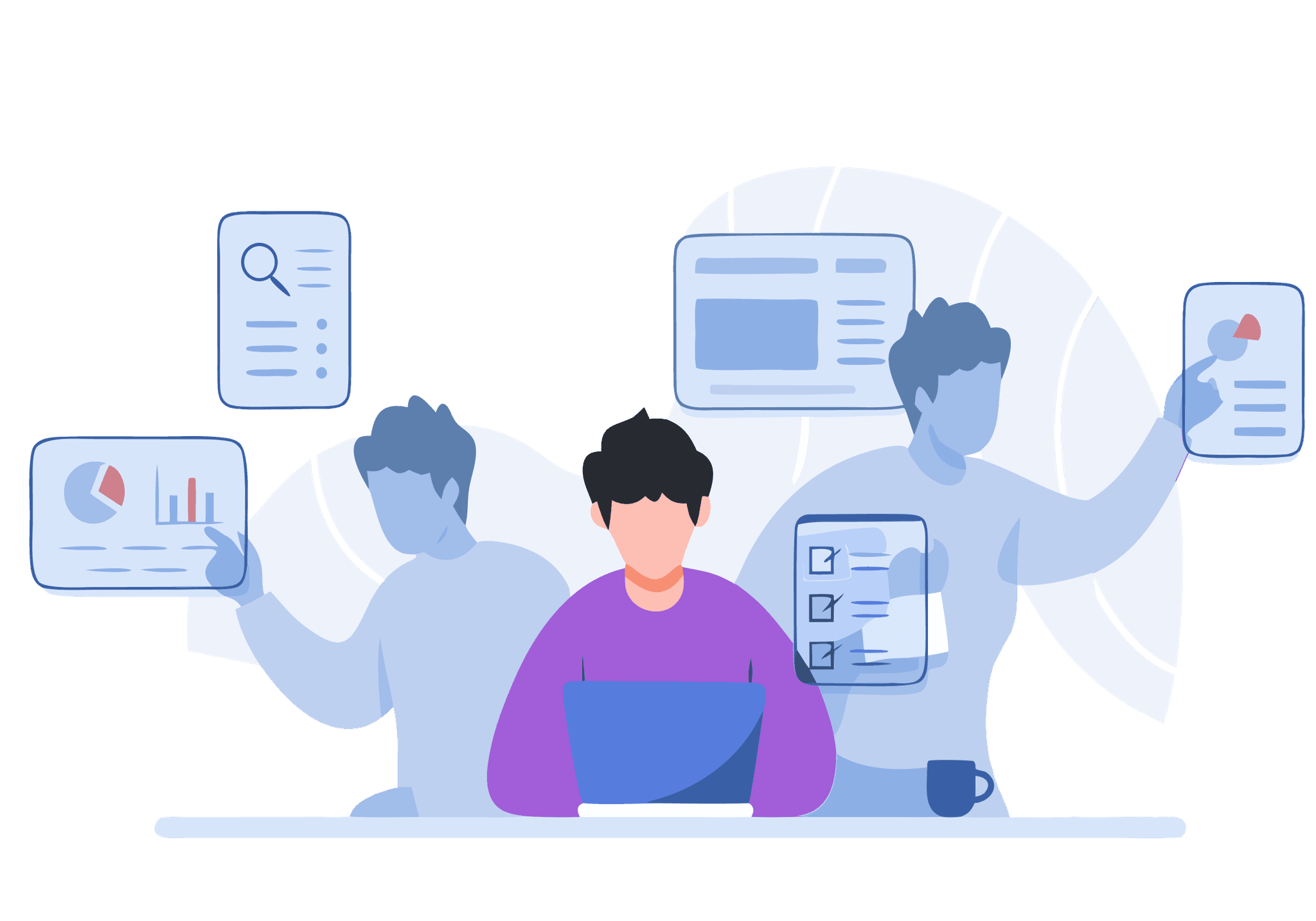
As an international student and a Product / UX designer, I often saw how difficult it was for students and early-career professionals to find the right career events at the right time. Many of us relied on scattered links, word of mouth, or last-minute posts to discover workshops, tech talks, or career fairs. This inspired me to create Evently a simple, reliable way to explore opportunities without feeling overwhelmed.
Evently began as a small idea to help students stay updated about events happening nearby. But as I continued designing, it evolved into a career-focused companion app that connects users with events, organizers, and institutions in one place. My goal was to create an experience that feels intuitive, supportive, and community-driven, especially for students navigating a new country and career system.
Project Background and Personal Journey
As an international student and a Product / UX designer, I often saw how difficult it was for students and early-career professionals to find the right career events at the right time. Many of us relied on scattered links, word of mouth, or last-minute posts to discover workshops, tech talks, or career fairs. This inspired me to create Evently a simple, reliable way to explore opportunities without feeling overwhelmed.
Evently began as a small idea to help students stay updated about events happening nearby. But as I continued designing, it evolved into a career-focused companion app that connects users with events, organizers, and institutions in one place. My goal was to create an experience that feels intuitive, supportive, and community-driven, especially for students navigating a new country and career system.
Problem
Users rely on 4–5 platforms (LinkedIn, university portals, Discord groups), causing missed deadlines and duplicate tracking effort.
Users rely on 4–5 platforms (LinkedIn, university portals, Discord groups), causing missed deadlines and duplicate tracking effort.
There is no centralized platform that curates location-based, goal-aligned events such as career fairs, tech talks, and workshops. Existing event tools often prioritize entertainment or large conferences, overlooking the smaller, high-impact events users actually need.
There is no centralized platform that curates location-based, goal-aligned events such as career fairs, tech talks, and workshops. Existing event tools often prioritize entertainment or large conferences, overlooking the smaller, high-impact events users actually need.
Solution Preview
Plan and design an application that allows users to discover career events such as workshops, tech talks, and job fairs tailored to their professional goals and nearby locations.
Plan and design an application that allows users to discover career events such as workshops, tech talks, and job fairs tailored to their professional goals and nearby locations.
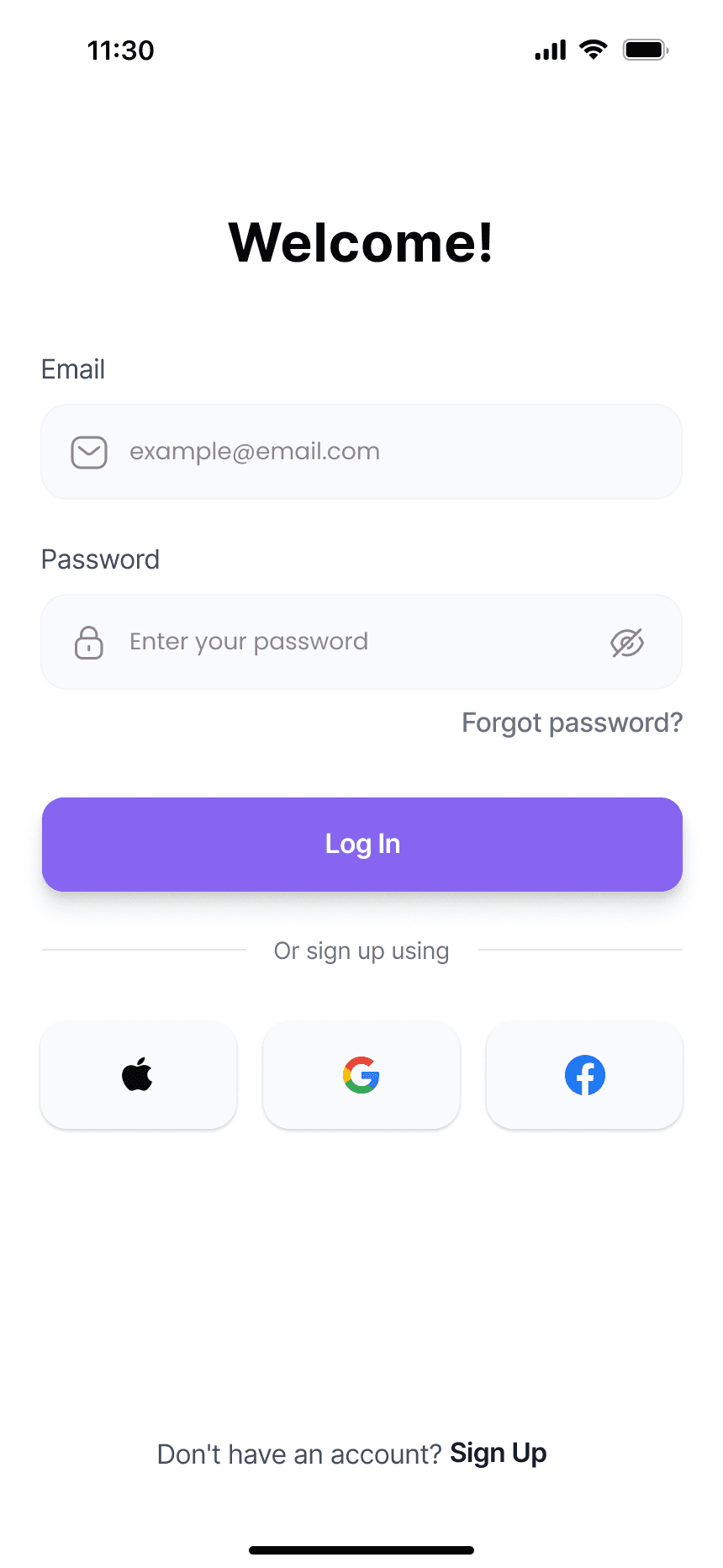
SMART LOGIN ACCESS
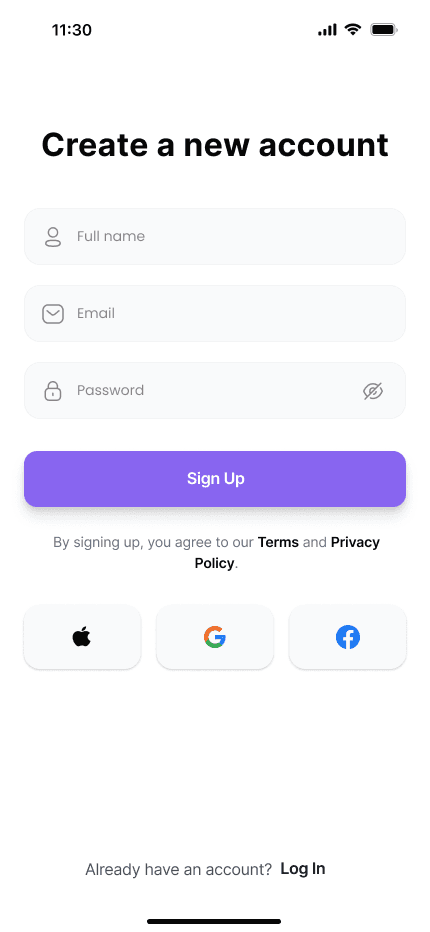
A simple and secure login that lets users quickly access their personalized dashboard using credentials or Google sign-in.
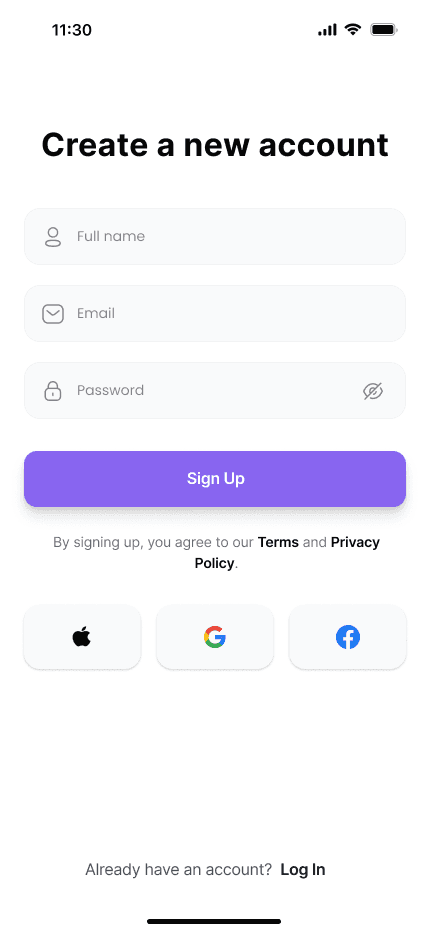
EASY ACCOUNT CREATION
A quick and effortless signup process helps users get started instantly, using email or Google.
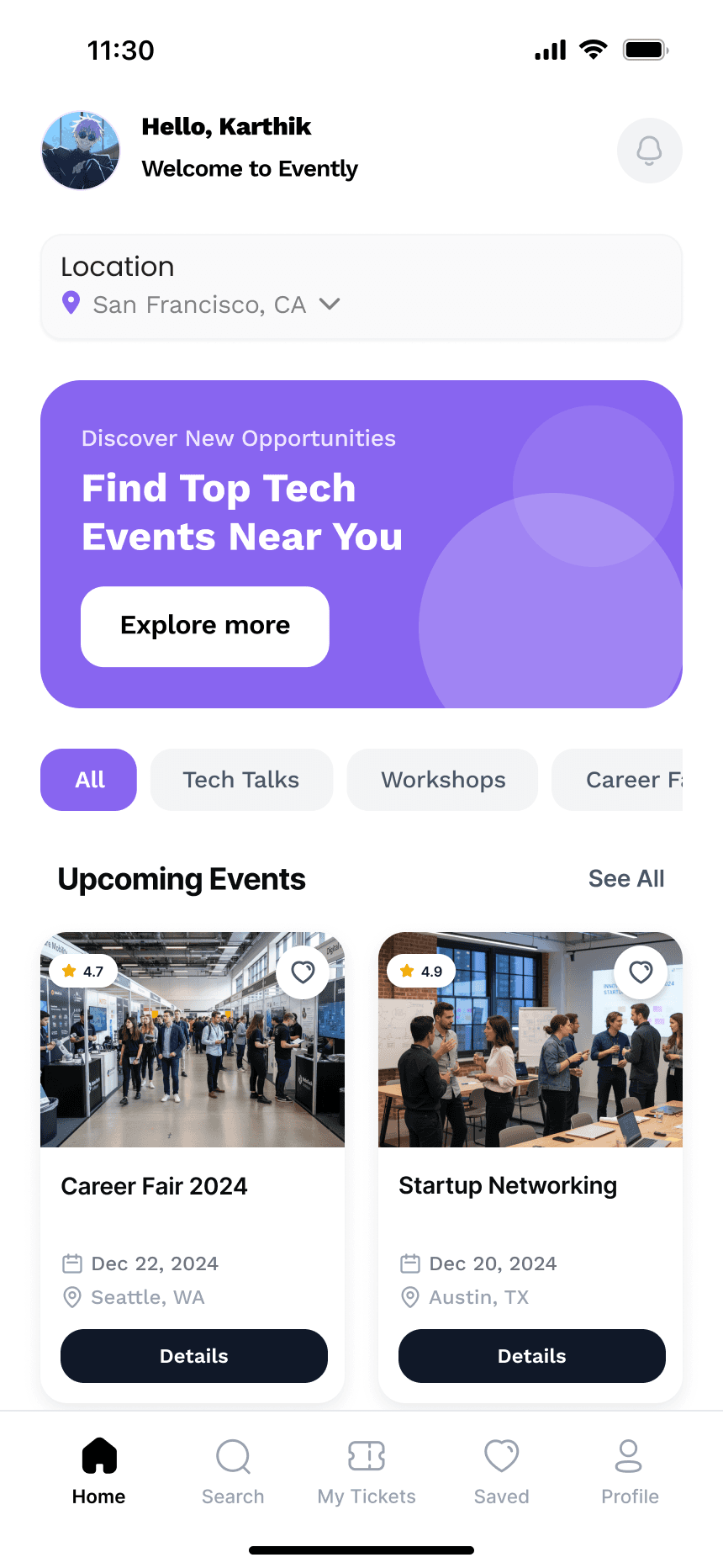
PERSONALIZED DASHBOARD
Discover upcoming career fairs, workshops, and events tailored to your location and interests.
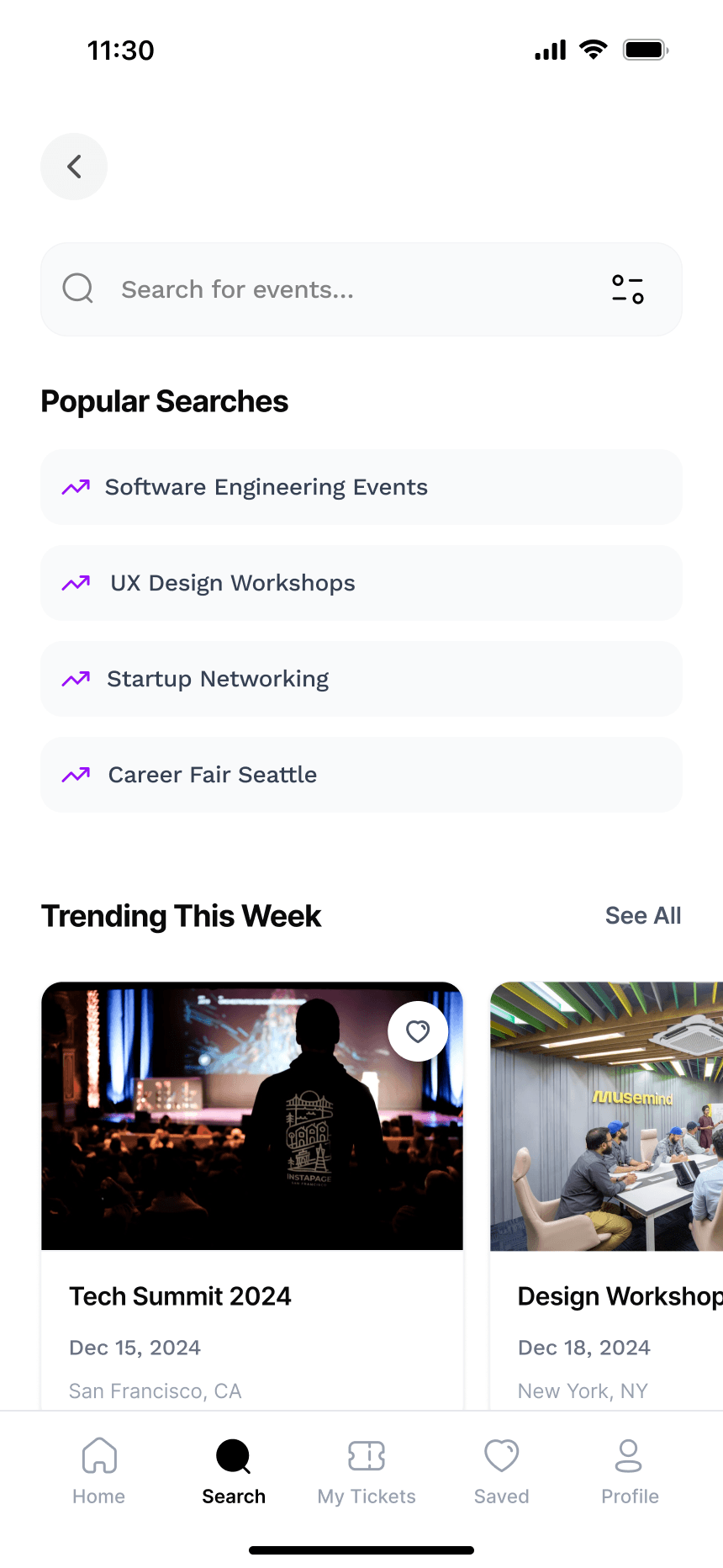
SMART DISCOVERY
Easily explore career events, workshops, and learning sessions through curated categories and trending searches tailored to your goals.
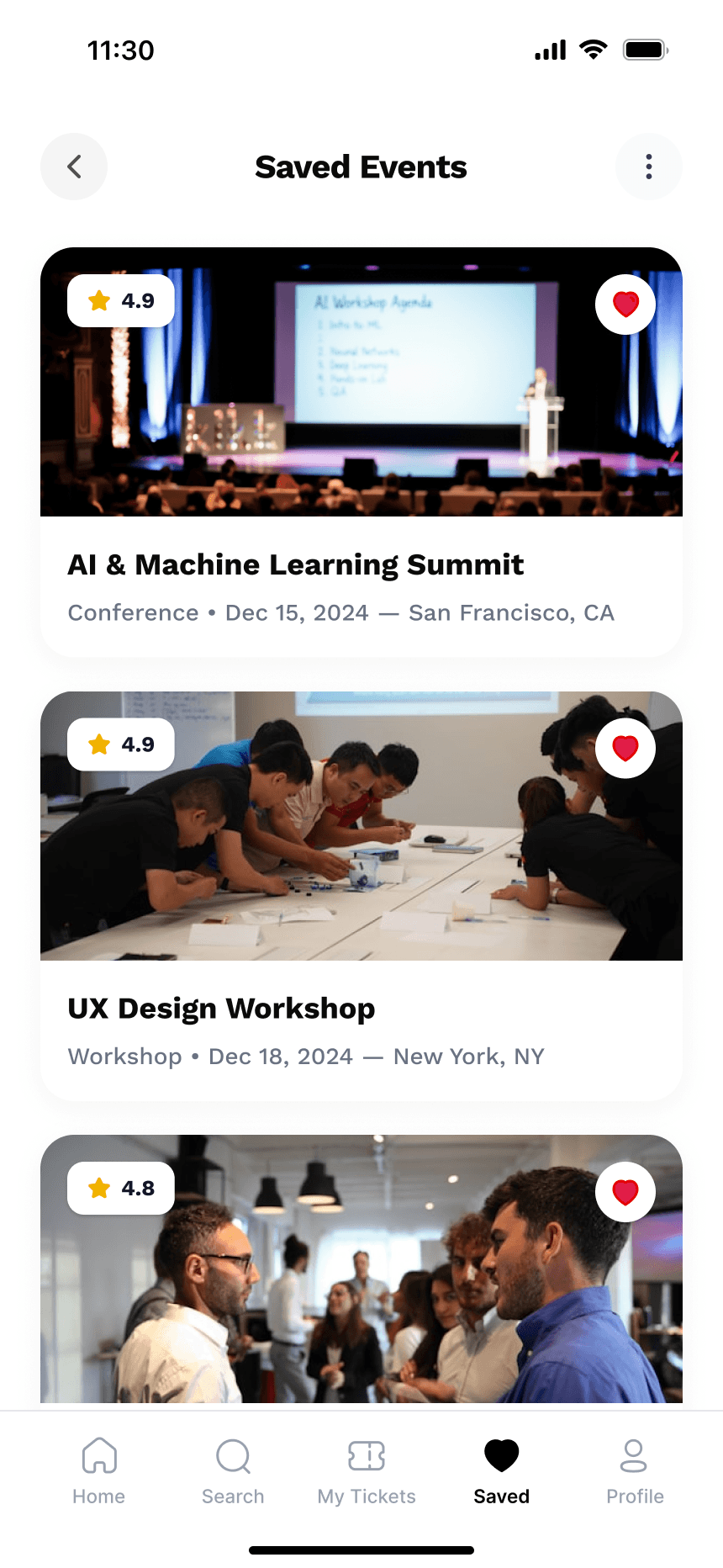
YOUR FAVORITES
Keep track of your favorite events and workshops in one place, making it easy to revisit and register when you're ready.
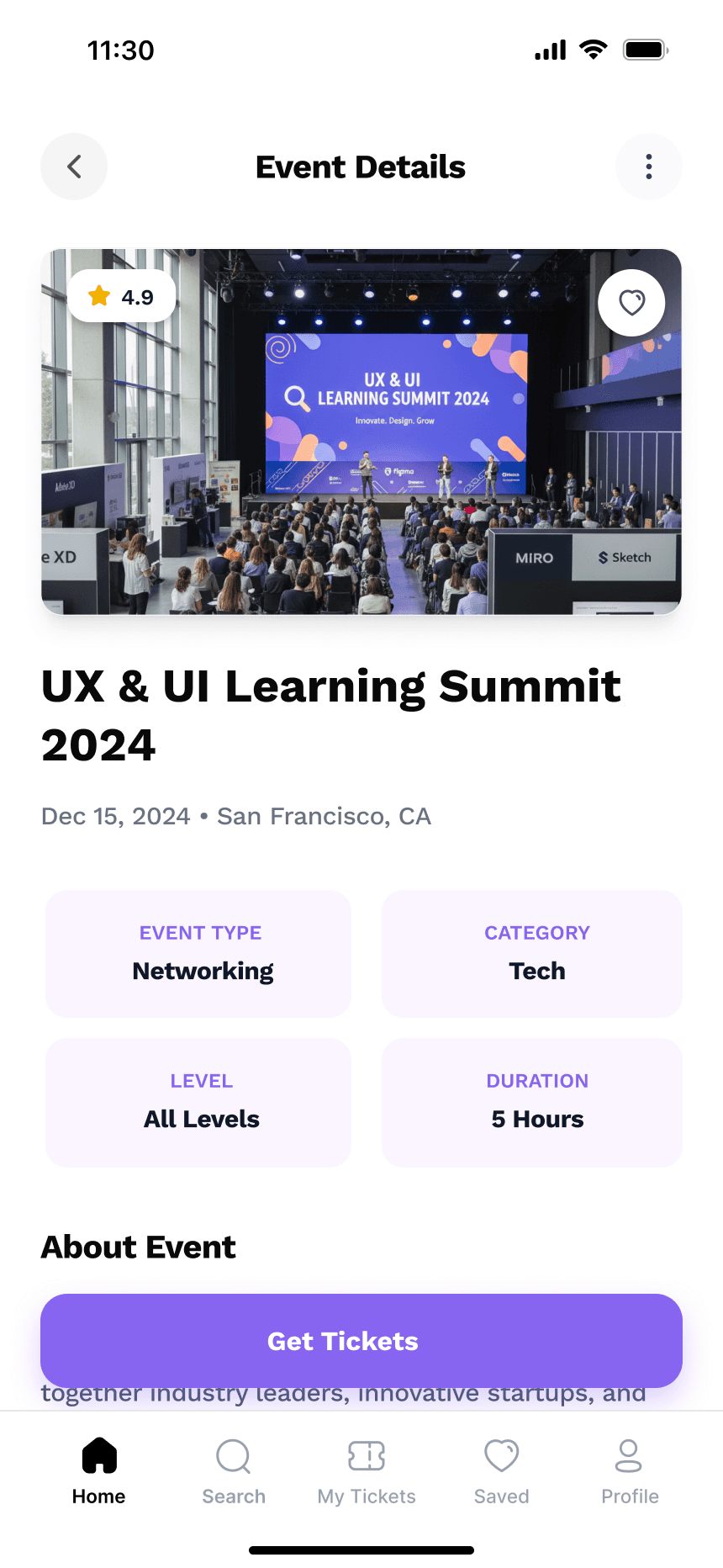
EVENT INSIGHTS
Get complete details about upcoming career events - from schedules and organizers to locations.
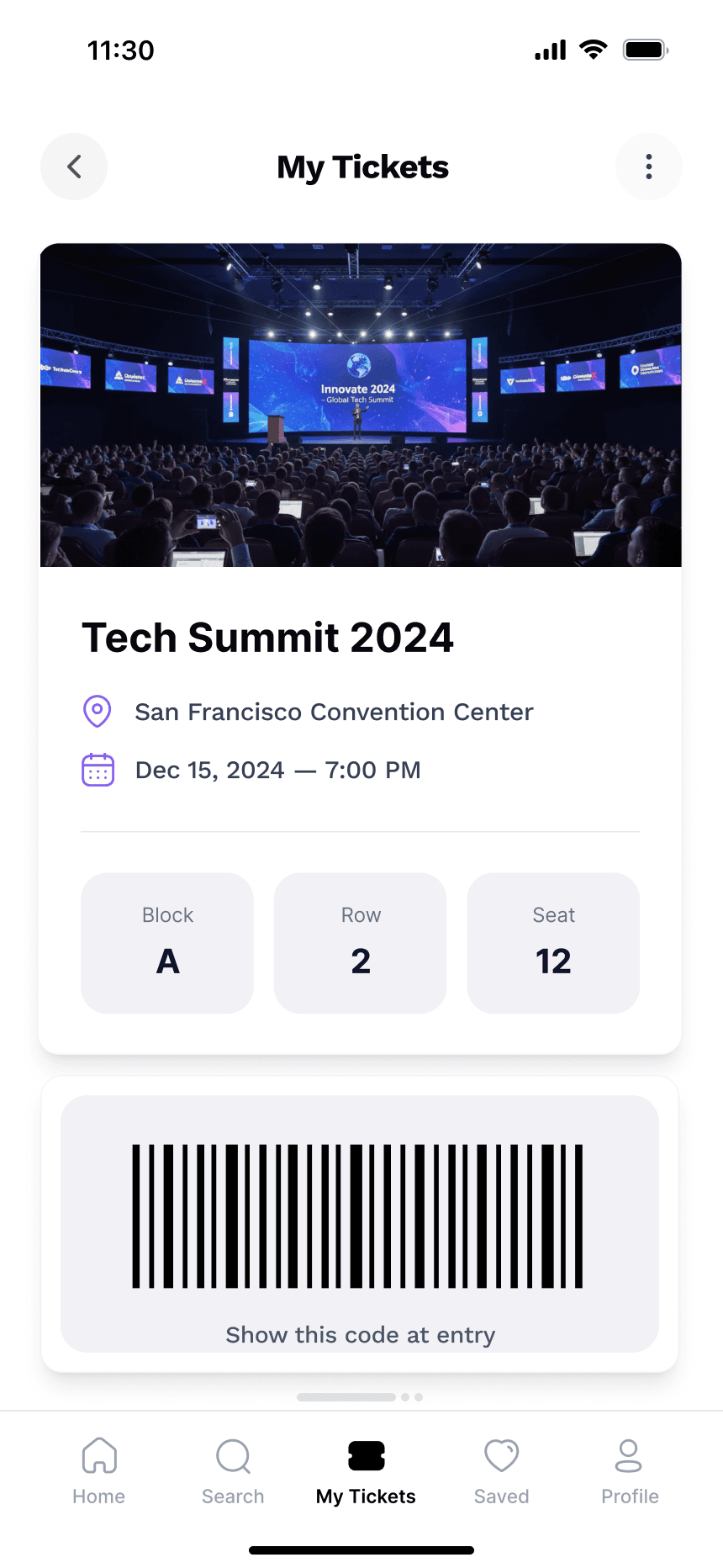
EVENT PASSES
View your registered events and access ticket details easily.
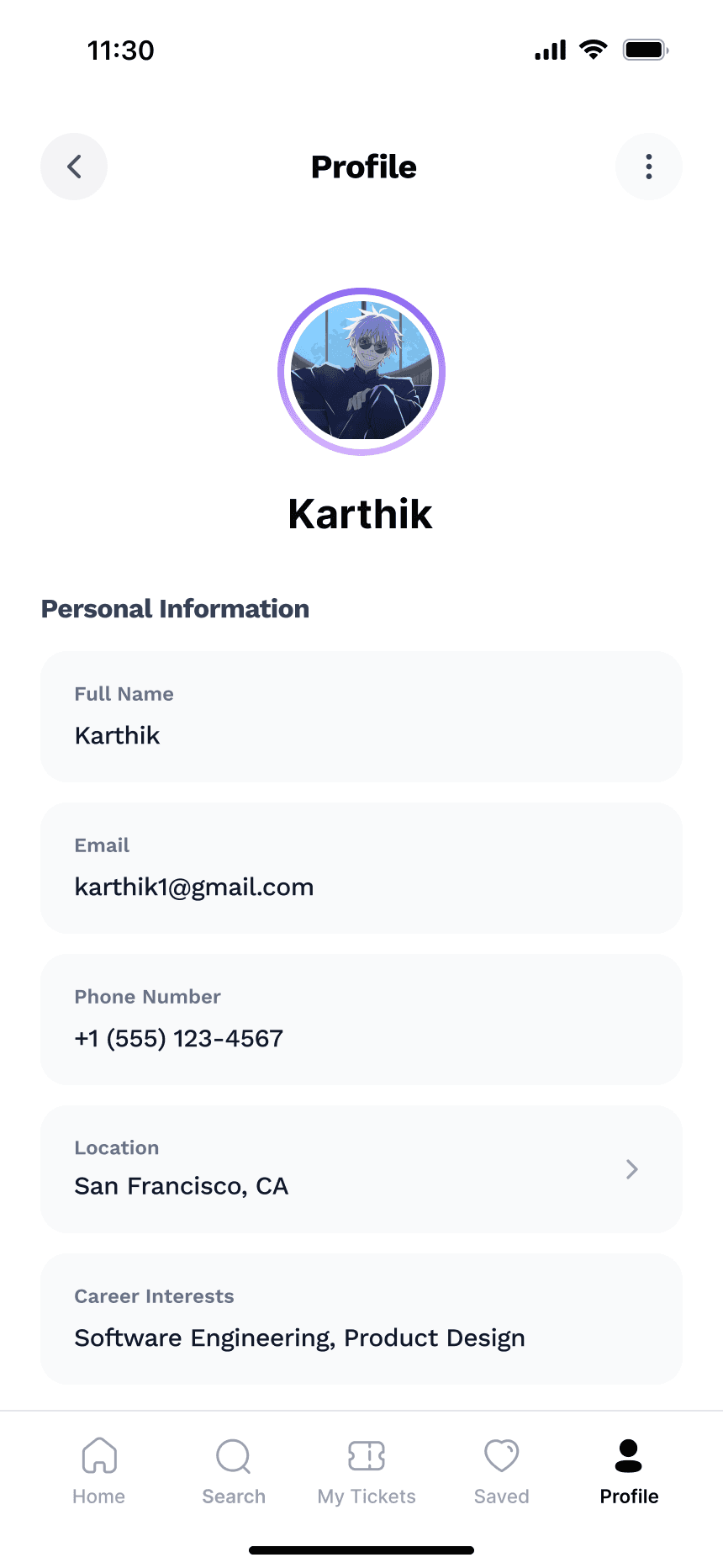
USER PROFILE
Manage your personal details, track verification status, and access support.
SMART LOGIN ACCESS
A simple and secure login that lets users quickly access their personalized dashboard using credentials or Google sign-in.
EASY ACCOUNT CREATION
A quick and effortless signup process helps users get started instantly, using email or Google.
PERSONALIZED DASHBOARD
Discover upcoming career fairs, workshops, and events tailored to your location and interests.
SMART DISCOVERY
Easily explore career events, workshops, and learning sessions through curated categories and trending searches tailored to your goals.
YOUR FAVORITES
Keep track of your favorite events and workshops in one place, making it easy to revisit and register when you're ready.
EVENT INSIGHTS
Get complete details about upcoming career events - from schedules and organizers to locations.
EVENT PASSES
View your registered events and access ticket details easily.
USER PROFILE
Manage your personal details, track verification status, and access support.
Desk Research
First, I conducted preliminary research using Google, industry reports, and professional platforms to better understand how graduates and early professionals discover career opportunities.
First, I conducted preliminary research using Google, industry reports, and professional platforms to better understand how graduates and early professionals discover career opportunities.
Exploring Career Opportunities
Research showed that many graduates and early professionals look for workshops, tech talks, and job fairs to learn new skills and connect with people in their field.
Identifying the Challenge
However, information about these events is spread across platforms like LinkedIn, university portals, and community groups, making it hard to keep track of them.
Key Insight
Bringing these opportunities into one place could make it easier for users to discover events that match their interests and career goals.
Exploring Career Opportunities
Research showed that many graduates and early professionals look for workshops, tech talks, and job fairs to learn new skills and connect with people in their field.
Identifying the Challenge
However, information about these events is spread across platforms like LinkedIn, university portals, and community groups, making it hard to keep track of them.
Key Insight
Bringing these opportunities into one place could make it easier for users to discover events that match their interests and career goals.
CSD Matrix
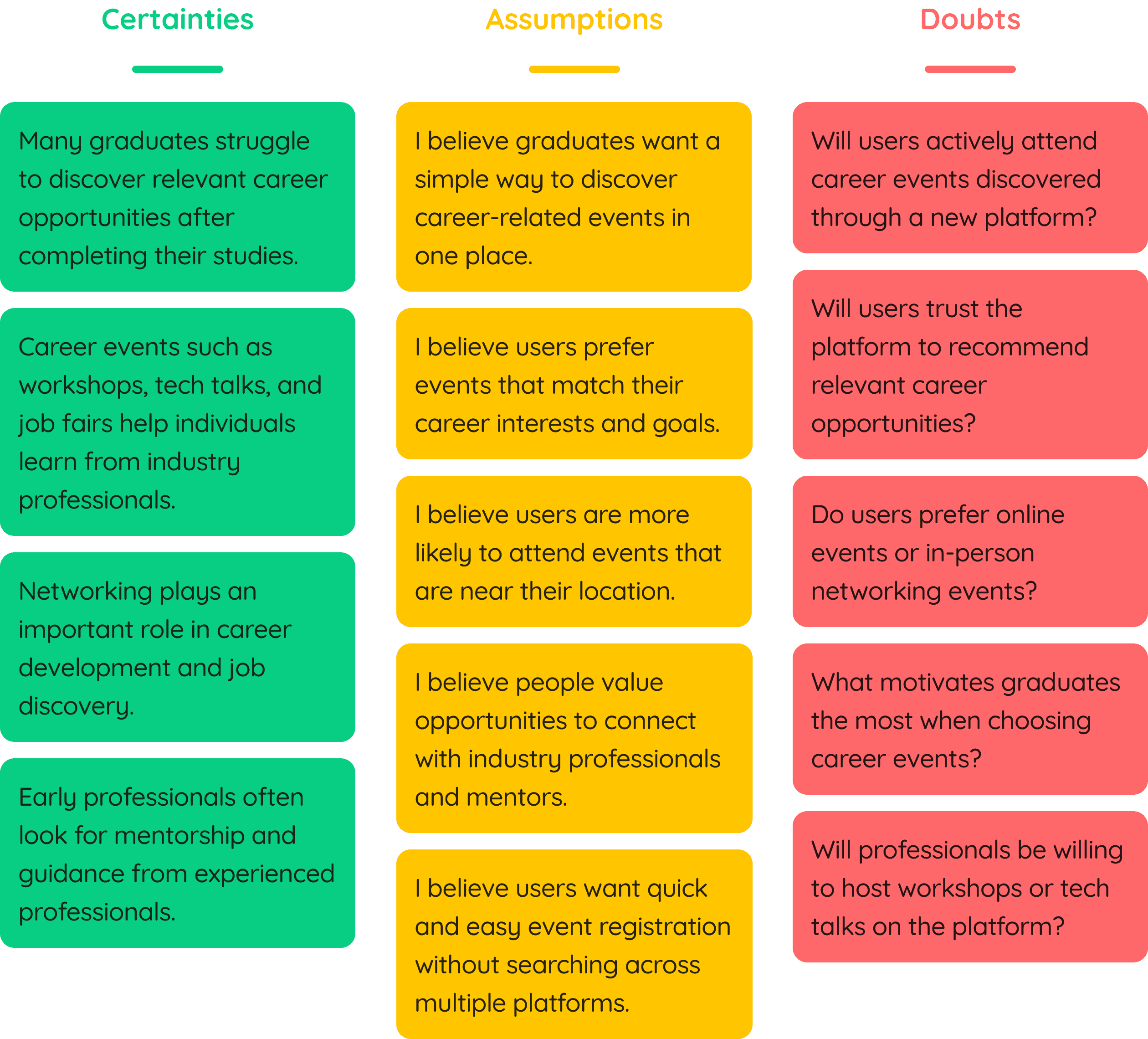
After conducting the desk research, I created a CSD matrix where I list my certainties, assumptions, and doubts about the problem.
After conducting the desk research, I created a CSD matrix where I list my certainties, assumptions, and doubts about the problem.
User Surveys & Interviews Findings
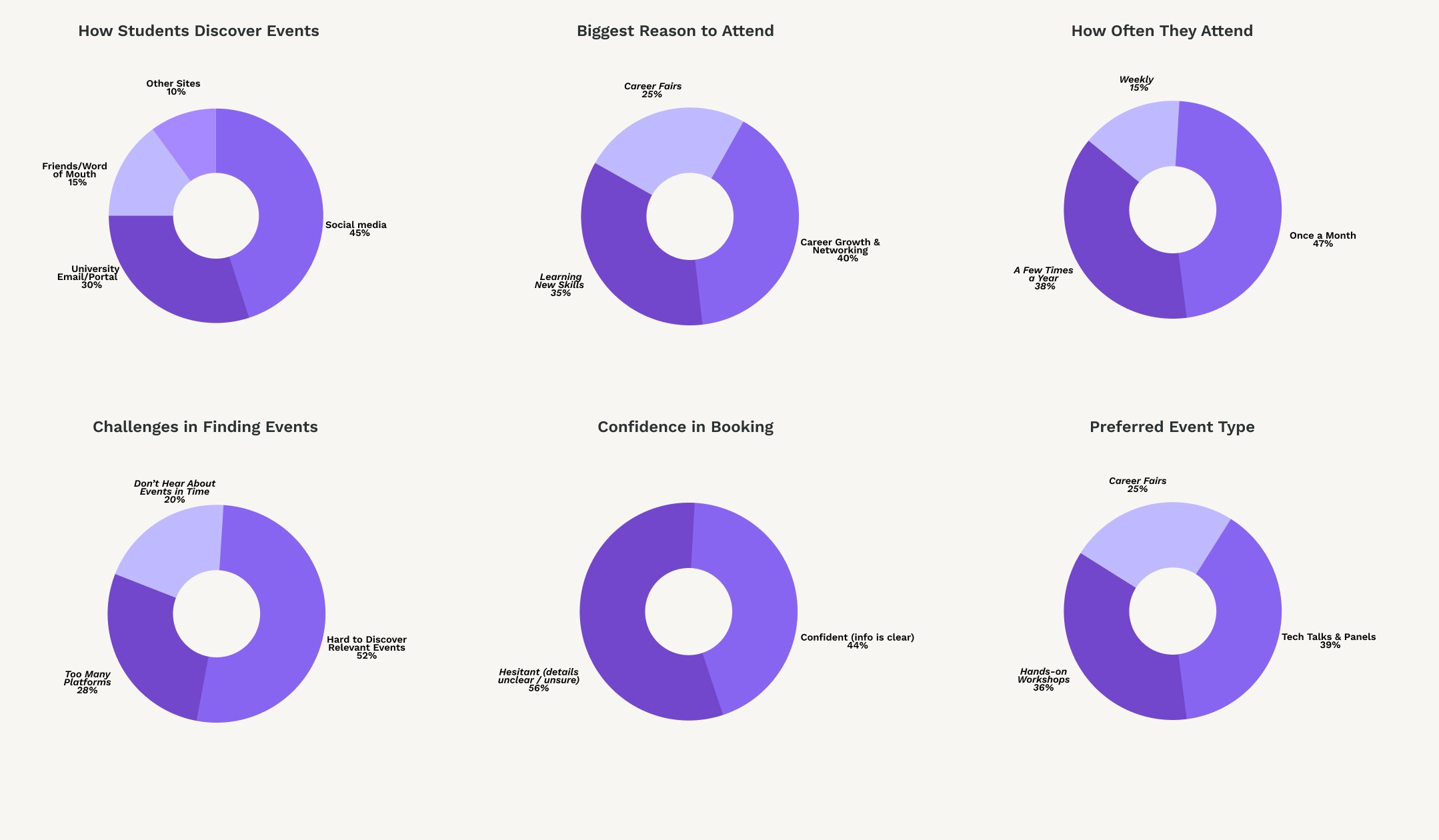
Users weren’t missing events because they didn’t care, they were missing them because discovery was fragmented across platforms. That’s the problem I focused on solving.
The research revealed how users currently search for events, what motivates them to attend, and the key barriers they face including scattered event information, confidence issues, and discovery friction.
The research revealed how users currently search for events, what motivates them to attend, and the key barriers they face including scattered event information, confidence issues, and discovery friction.
Interview Goal 01
Interview Goal 01
Understand who the users are (student/professional background + goals)
Understand who the users are (student/professional background + goals)
Interview Goal 02
Interview Goal 02
Explore how users currently discover events + what tools they rely on
Explore how users currently discover events + what tools they rely on
Interview Goal 03
Interview Goal 03
Learn how confident they feel attending events or networking, especially alone
Learn how confident they feel attending events or networking, especially alone
User Persona
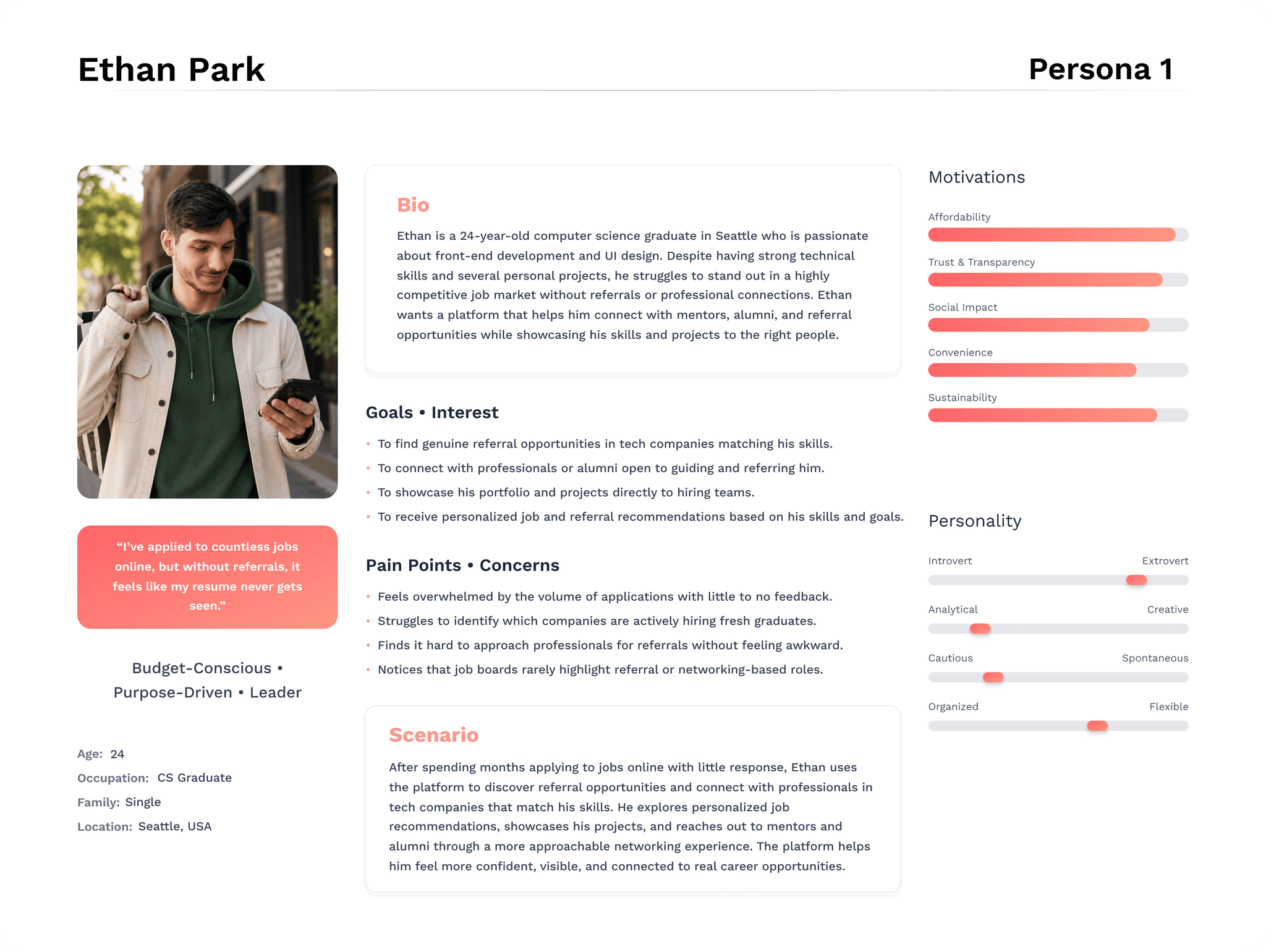
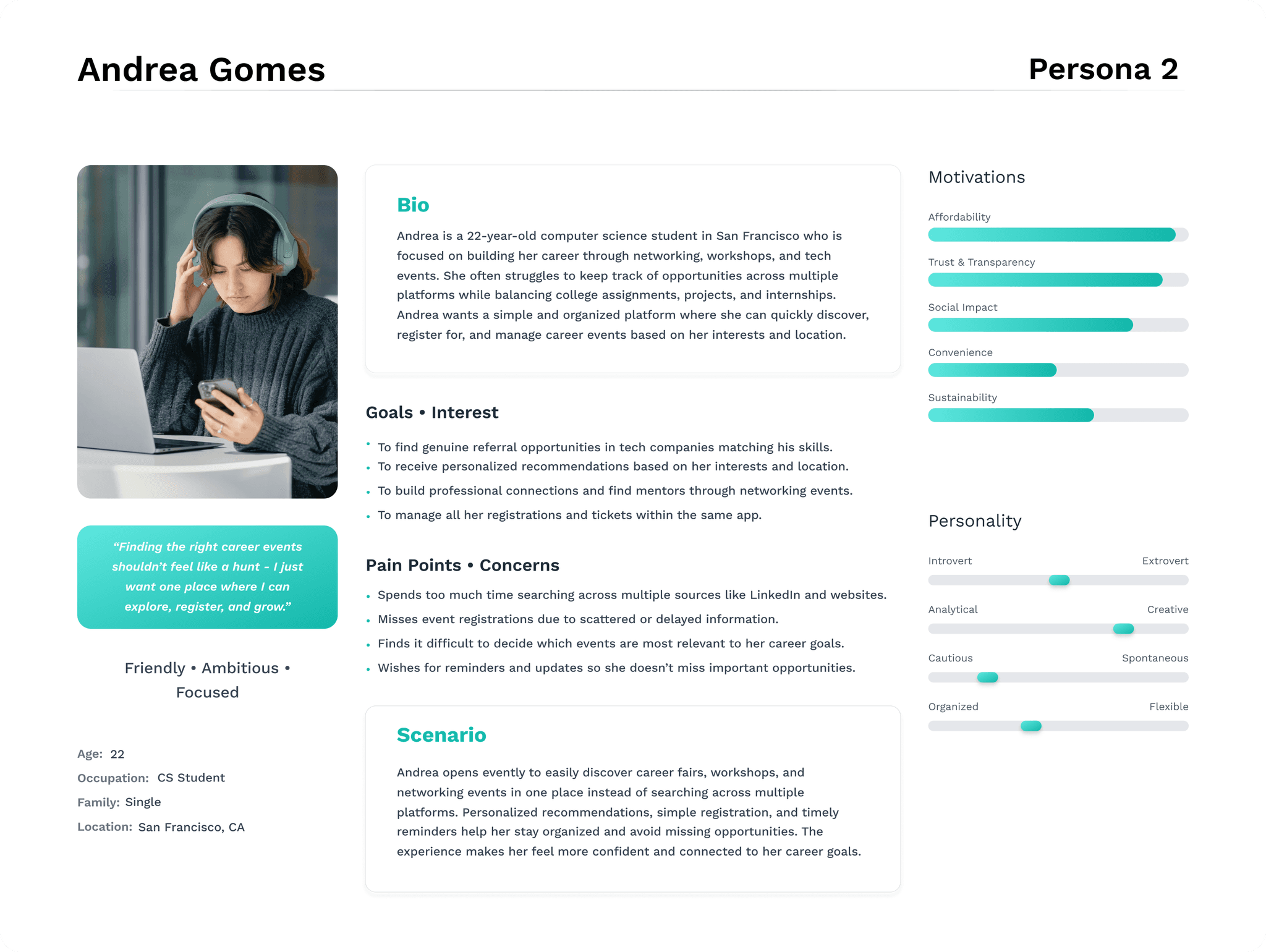
To translate the insights gathered from user research into actionable design decisions, I created personas that represent the experiences of students and early-career professionals actively seeking opportunities for growth. Grounded in both qualitative and quantitative data, these personas served as empathetic reference points - keeping users’ goals, frustrations, and motivations at the core of every design decision made for Evently.
To translate the insights gathered from user research into actionable design decisions, I created personas that represent the experiences of students and early-career professionals actively seeking opportunities for growth. Grounded in both qualitative and quantitative data, these personas served as empathetic reference points - keeping users’ goals, frustrations, and motivations at the core of every design decision made for Evently.
To better understand user needs across different career stages, I developed two personas - Andrea, a student seeking structured event access, and Ethan, a graduate focused on building professional connections and referral pathways.
To better understand user needs across different career stages, I developed two personas - Andrea, a student seeking structured event access, and Ethan, a graduate focused on building professional connections and referral pathways.
User Journey Map
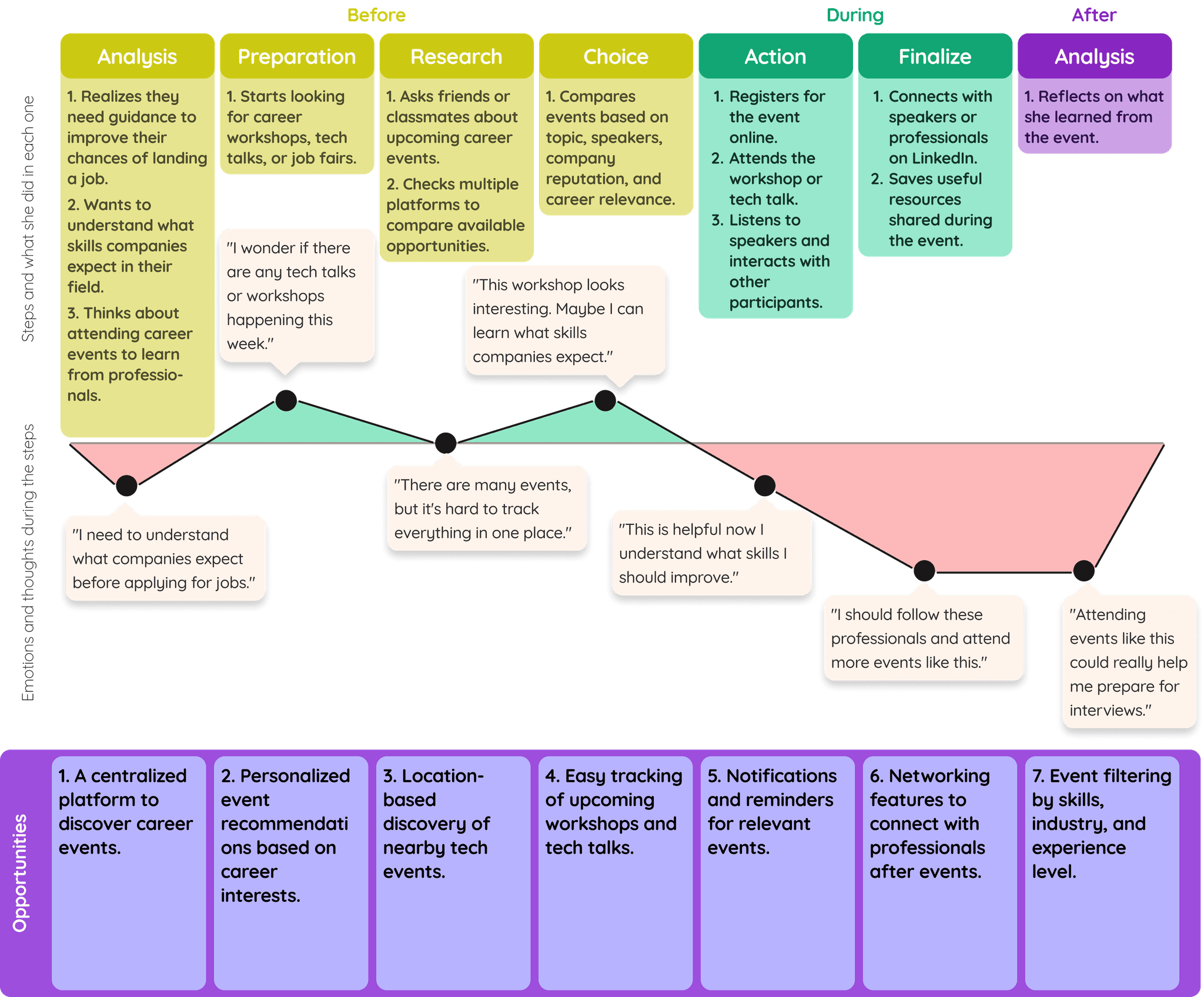
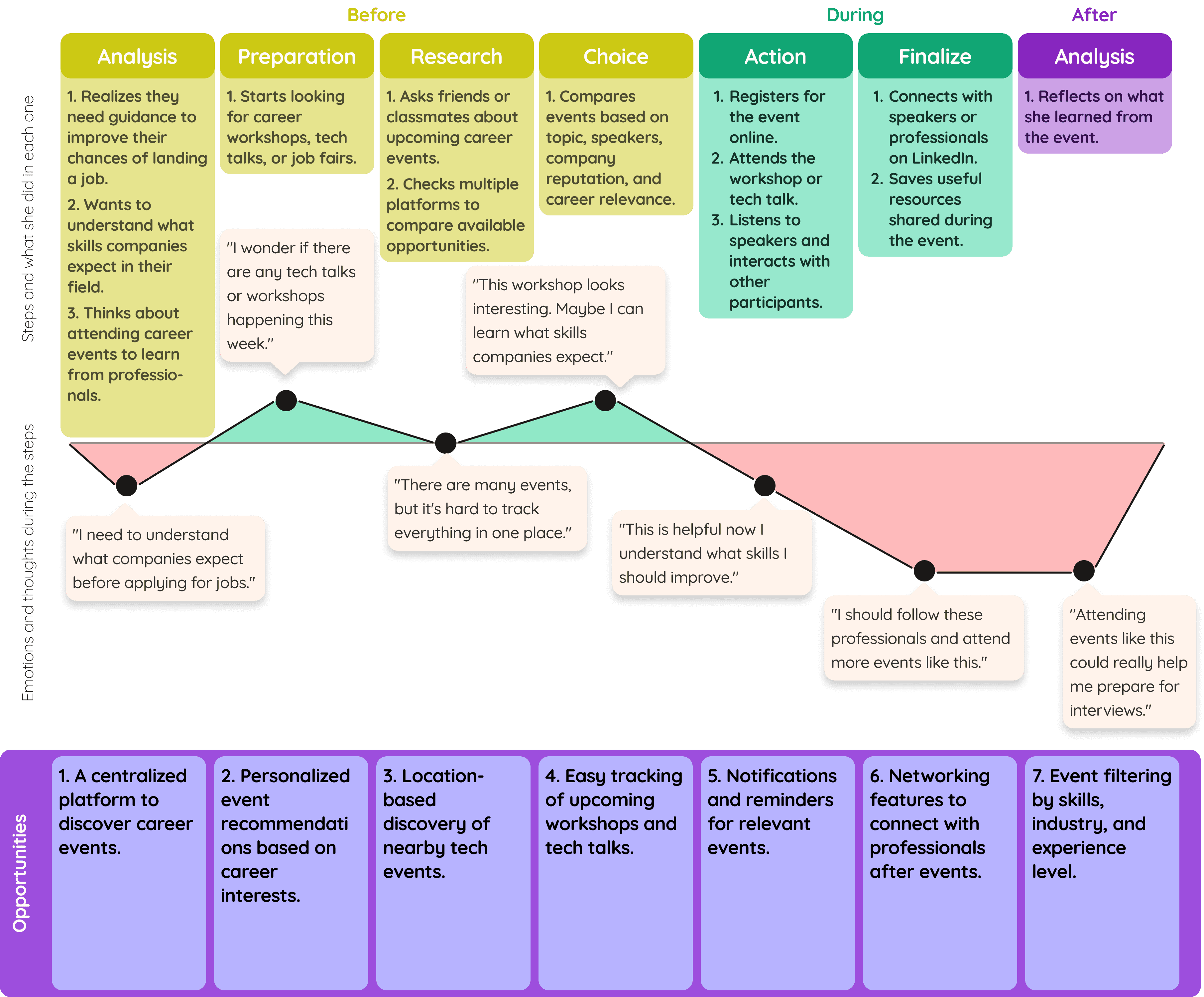
Using Google Sheets, I created a journey map to visualize the steps my persona (Andrea) takes when discovering and attending career events, helping identify opportunities to improve the experience.
Using Google Sheets, I created a journey map to visualize the steps my persona (Andrea) takes when discovering and attending career events, helping identify opportunities to improve the experience.
Sitemap
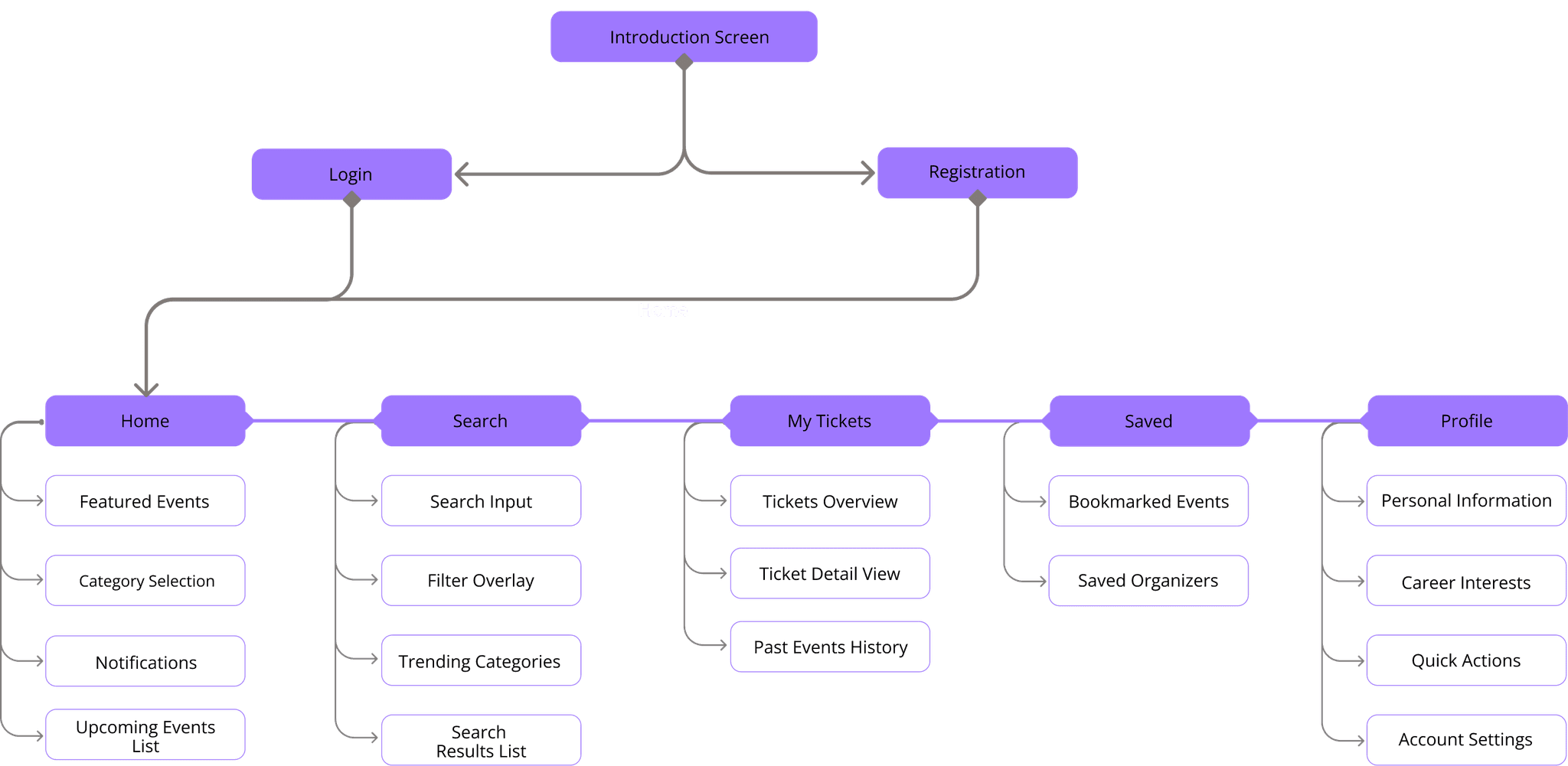
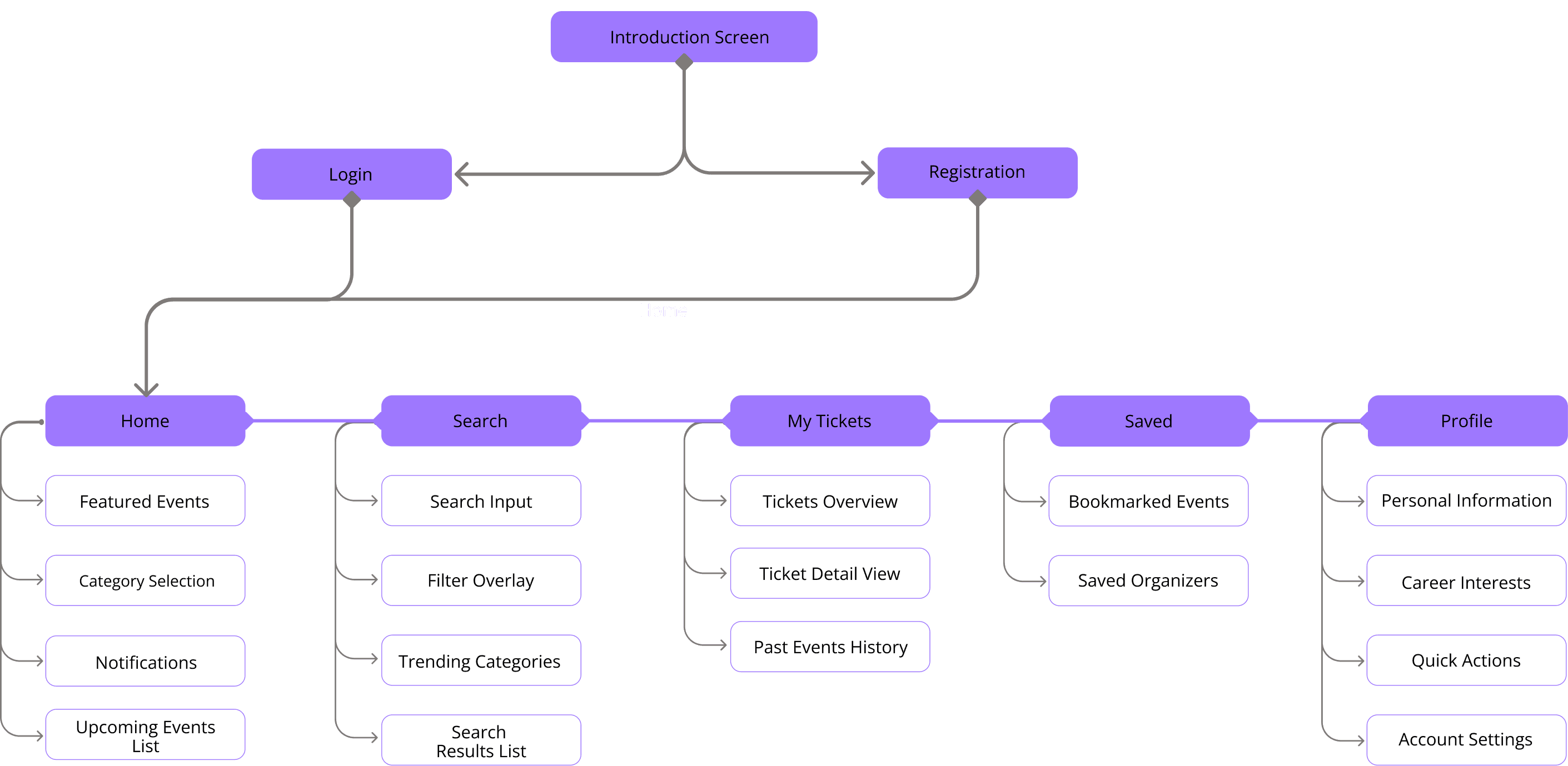
I created a map showing the overall view of the app, using it to define the pages and their links without worrying about the visuals.
I created a map showing the overall view of the app, using it to define the pages and their links without worrying about the visuals.
Wireframing + Lo-Fi Prototyping
Wireframing + Lo-Fi Prototyping
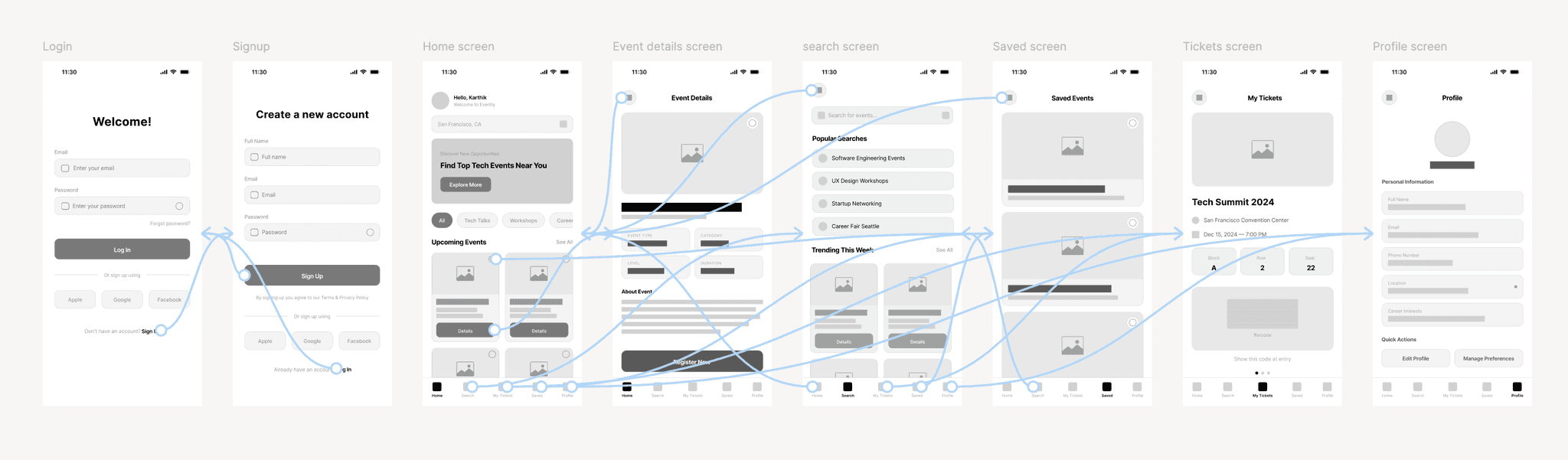
In this stage, I defined which icons would be used and also determined, using tools like Google Trends and Hemingway Editor, the content of the screens, while also prioritizing inclusivity. The tools helped me create more comprehensible texts for my user.
In this stage, I defined which icons would be used and also determined, using tools like Google Trends and Hemingway Editor, the content of the screens, while also prioritizing inclusivity. The tools helped me create more comprehensible texts for my user.
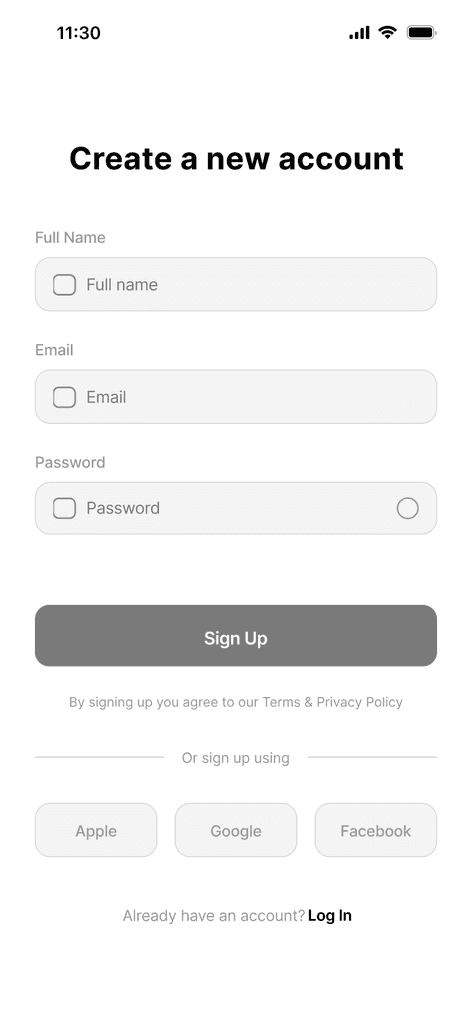
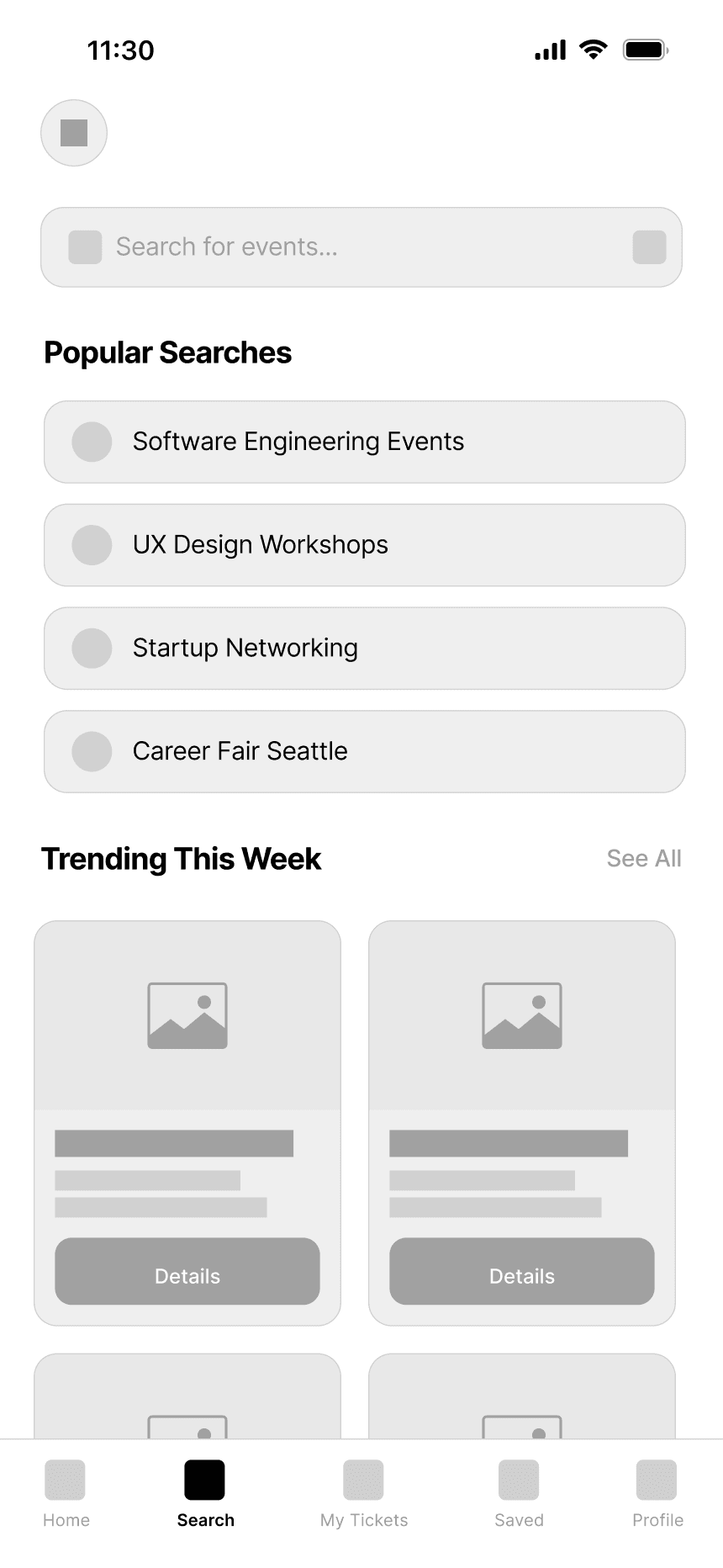
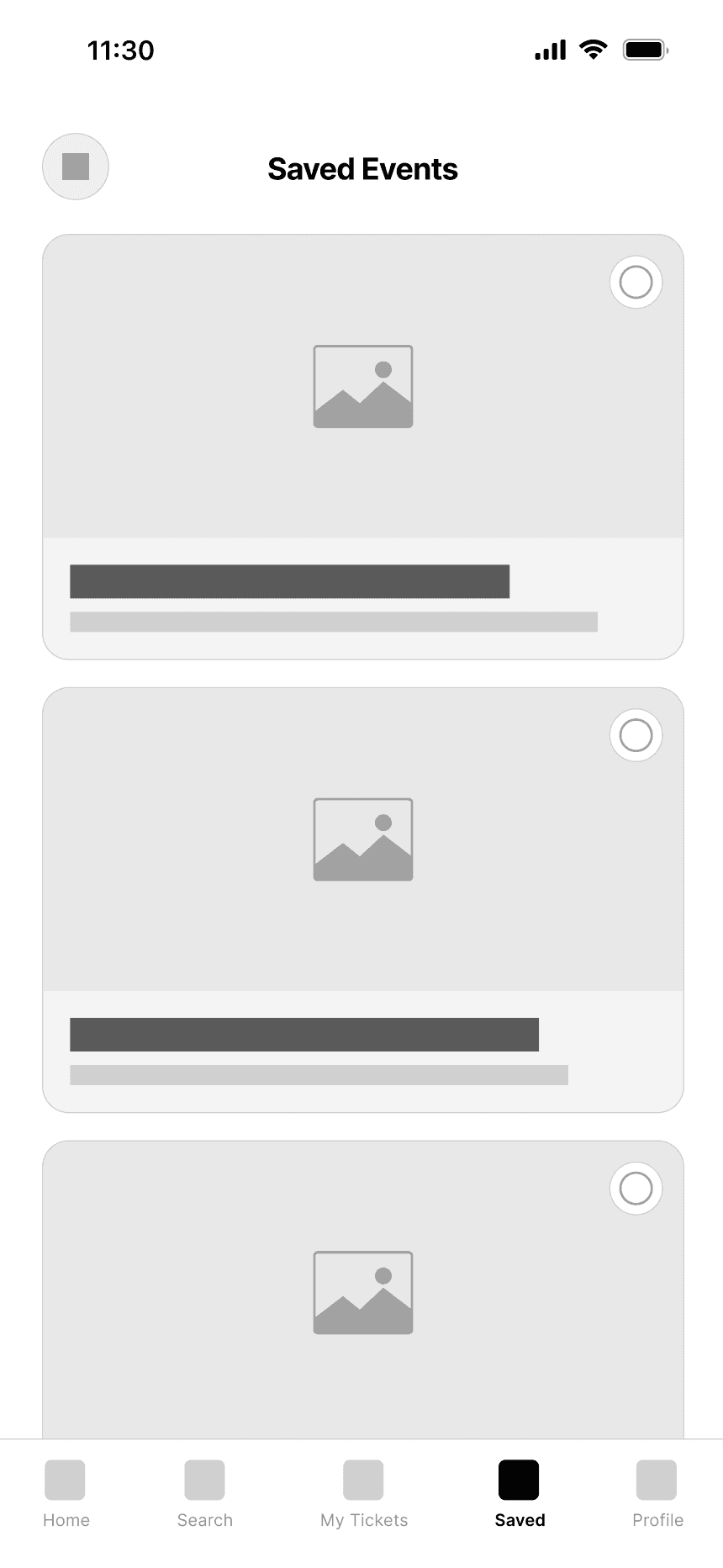
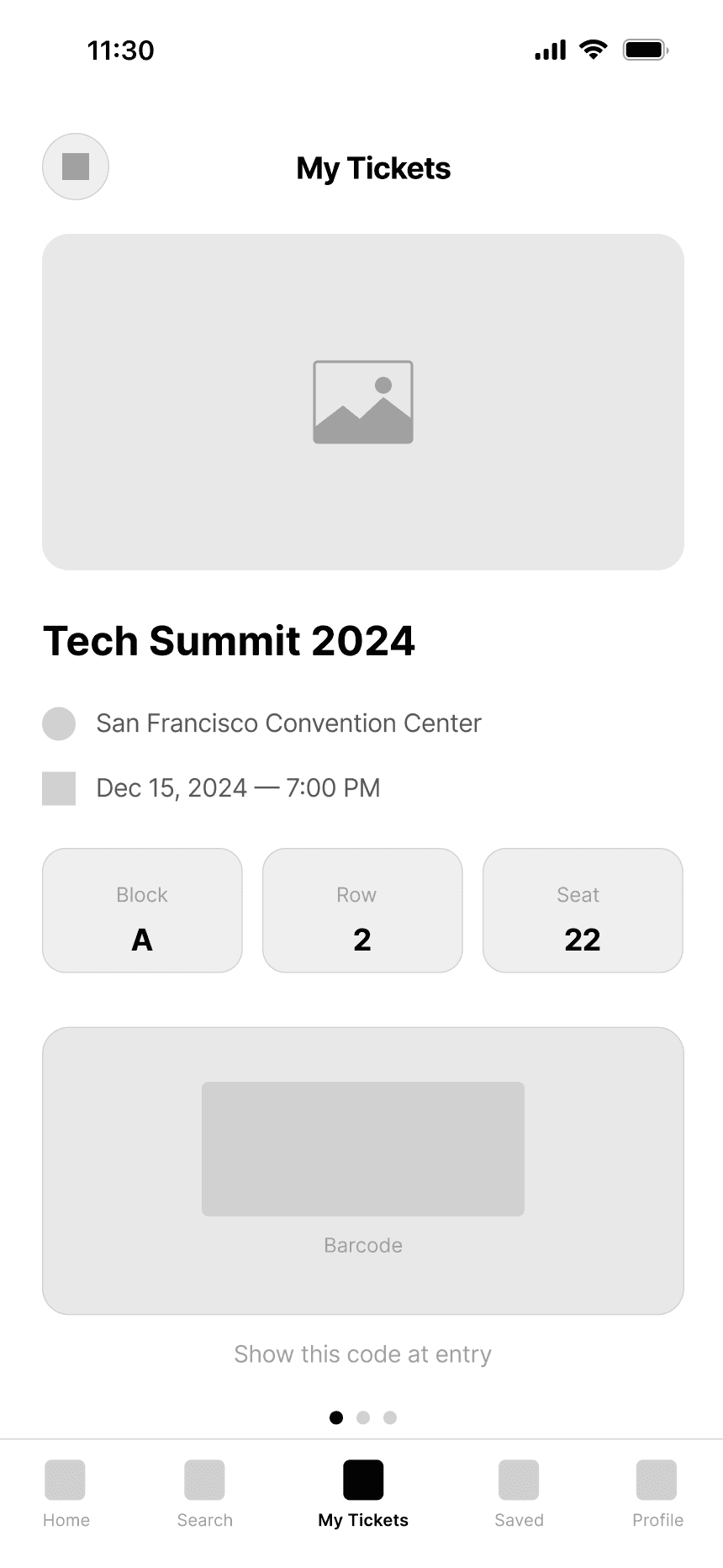
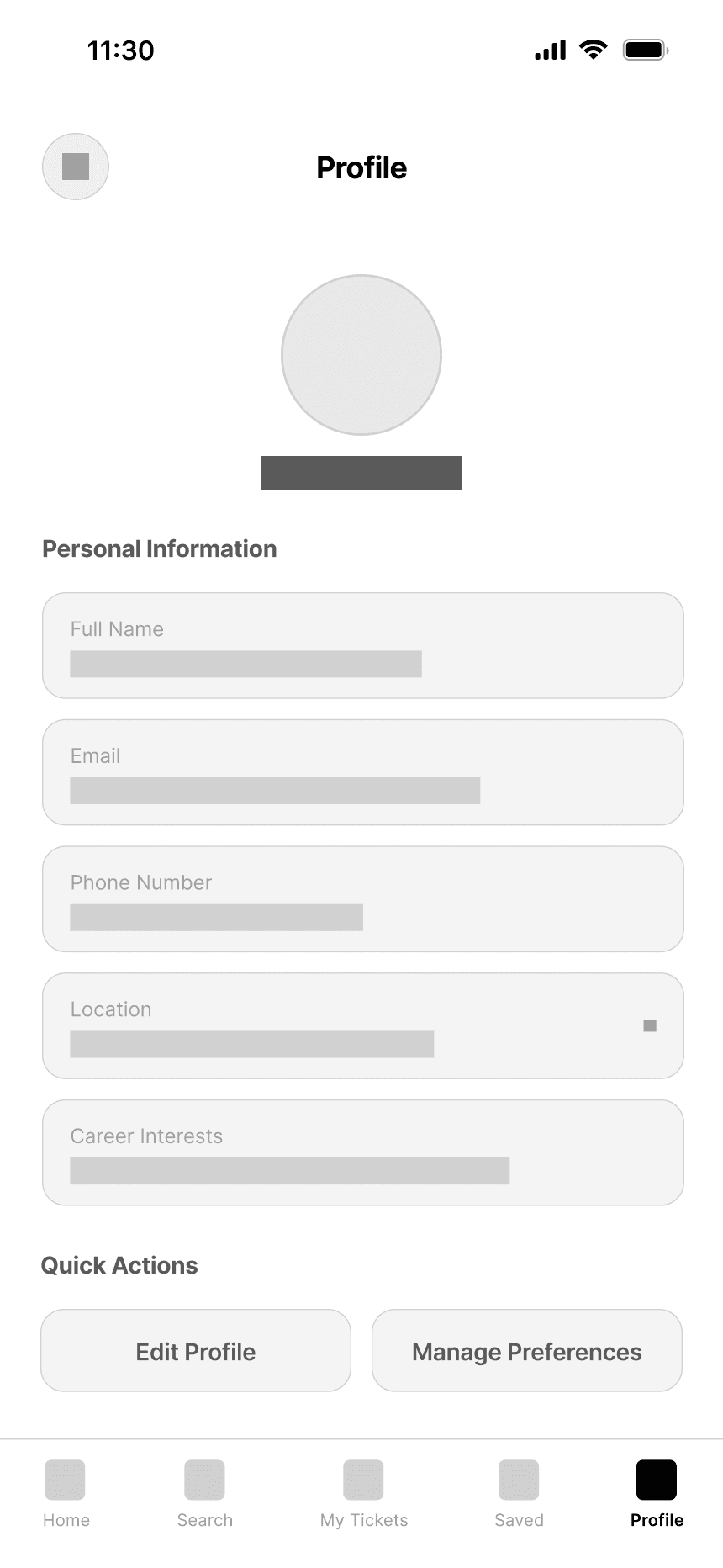
Focusing on clarity and accessibility, I mapped out the information architecture and defined the app’s primary sections — Home, Search, Favorites, Tickets, and Profile. Each section was designed to guide users seamlessly through their journey, from discovering events to confirming their registrations.
Focusing on clarity and accessibility, I mapped out the information architecture and defined the app’s primary sections Home, Search, Favorites, Tickets, and Profile. Each section was designed to guide users seamlessly through their journey, from discovering events to confirming their registrations.
Focusing on clarity and accessibility, I mapped out the information architecture and defined the app’s primary sections Home, Search, Favorites, Tickets, and Profile. Each section was designed to guide users seamlessly through their journey, from discovering events to confirming their registrations.
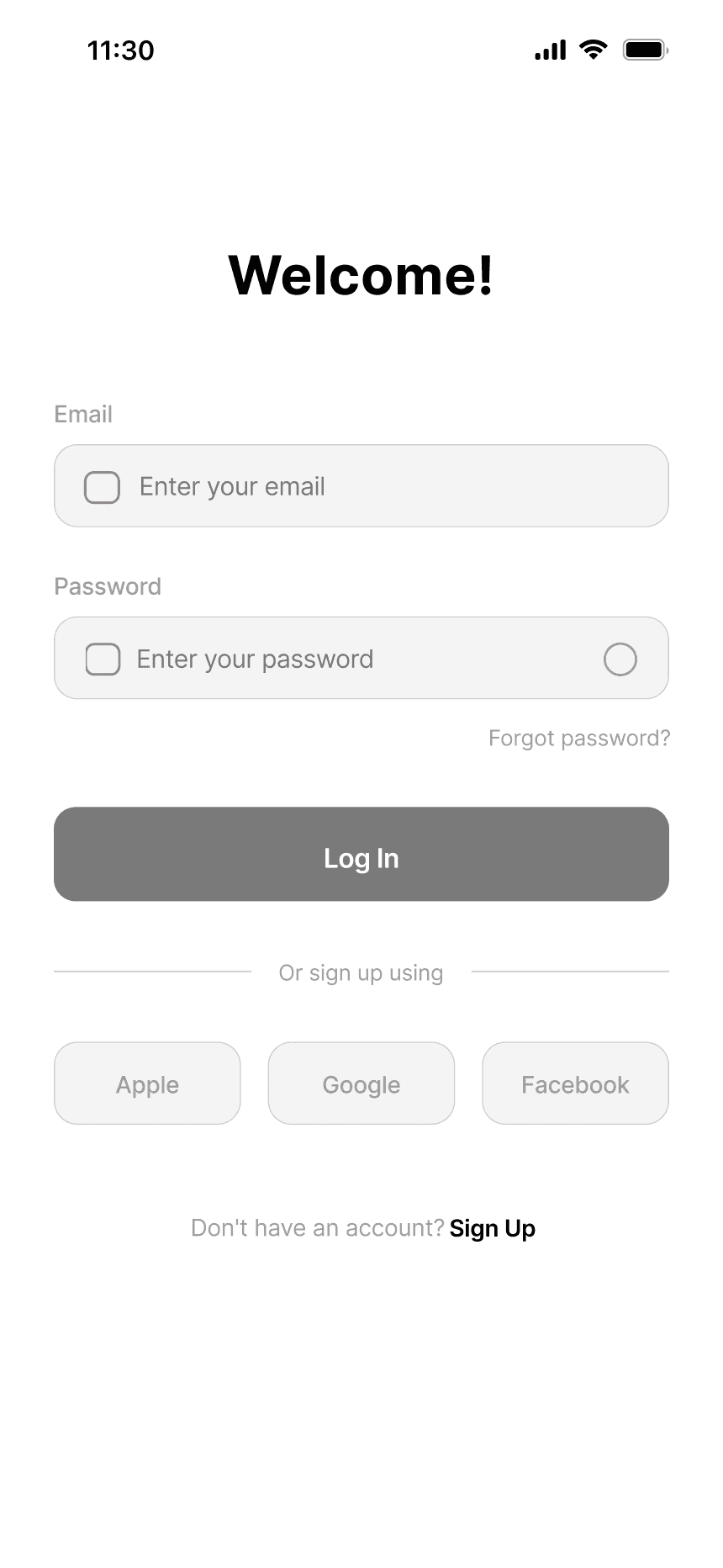
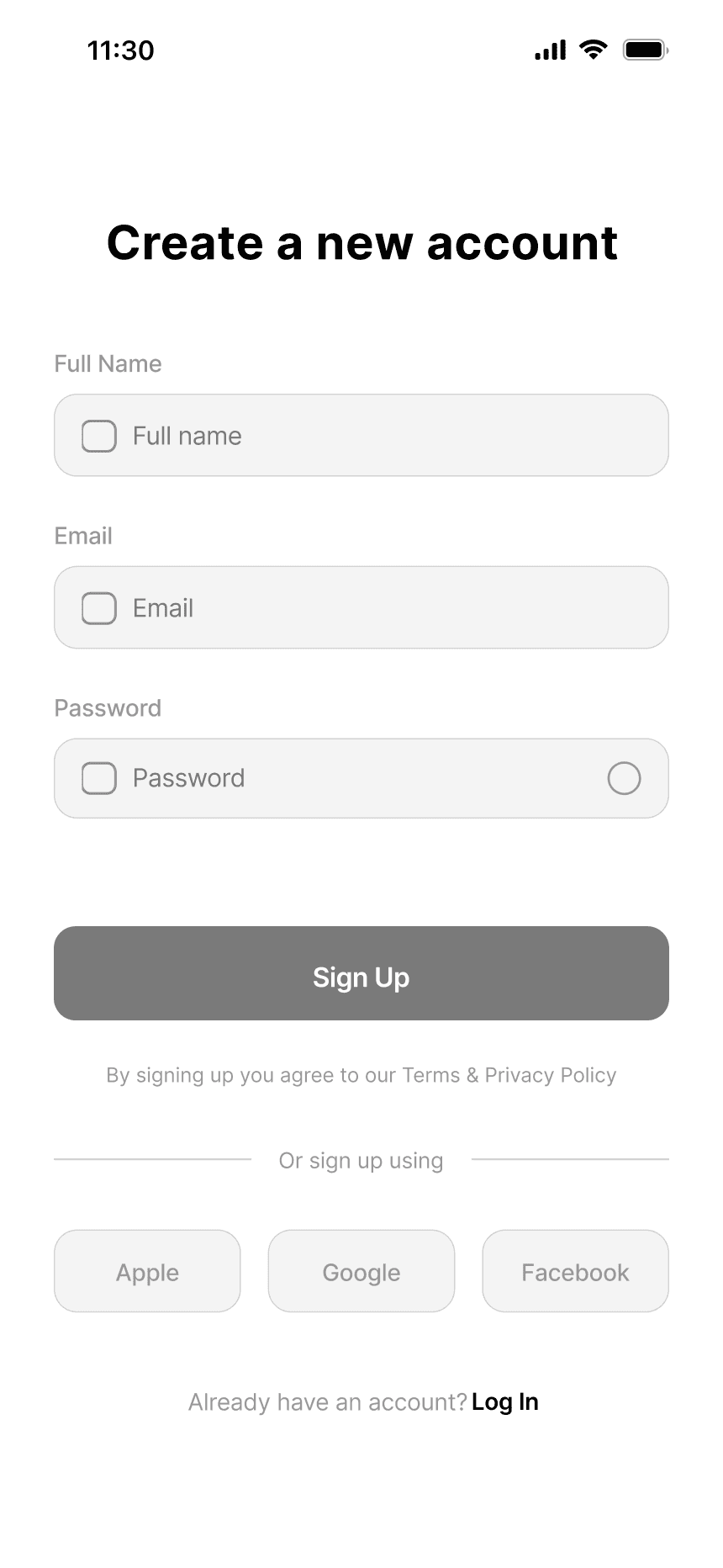
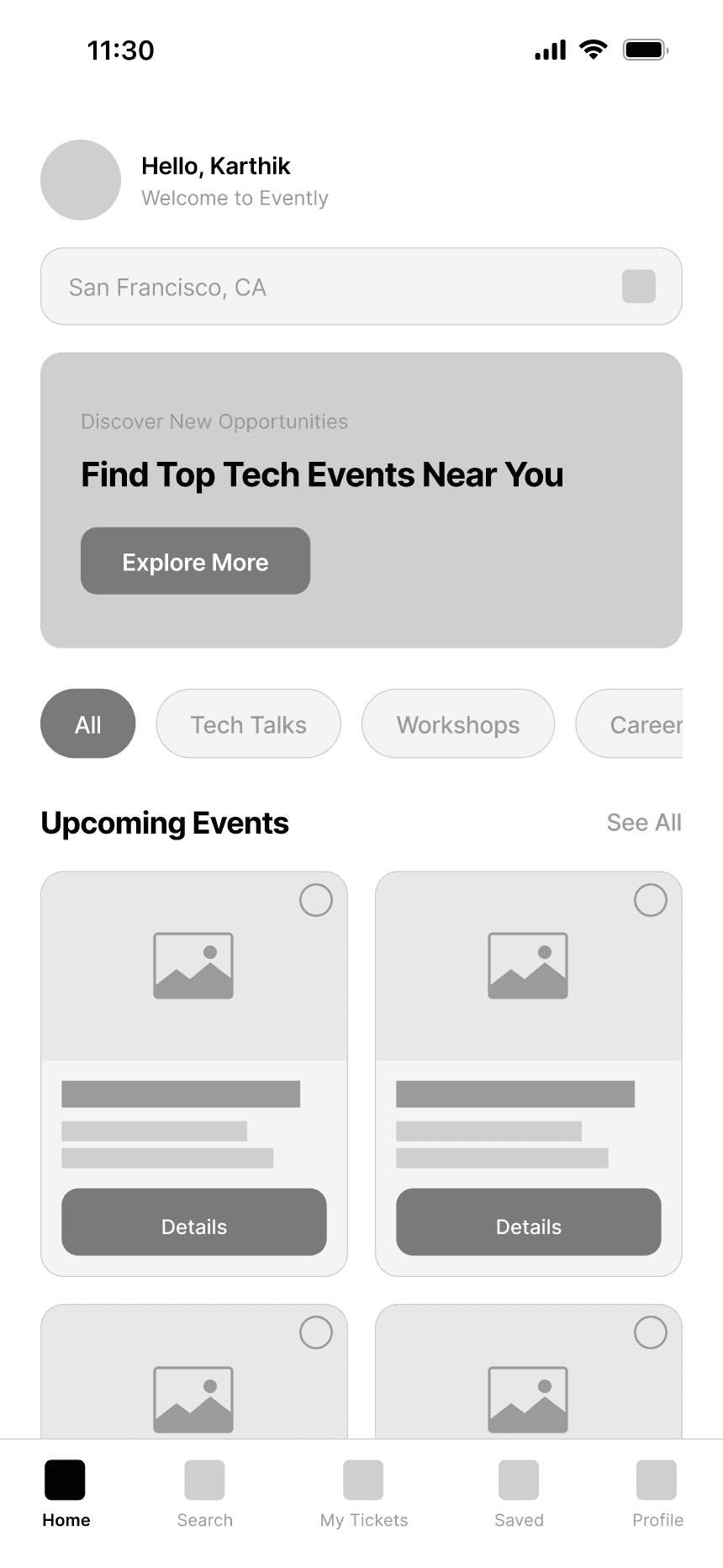
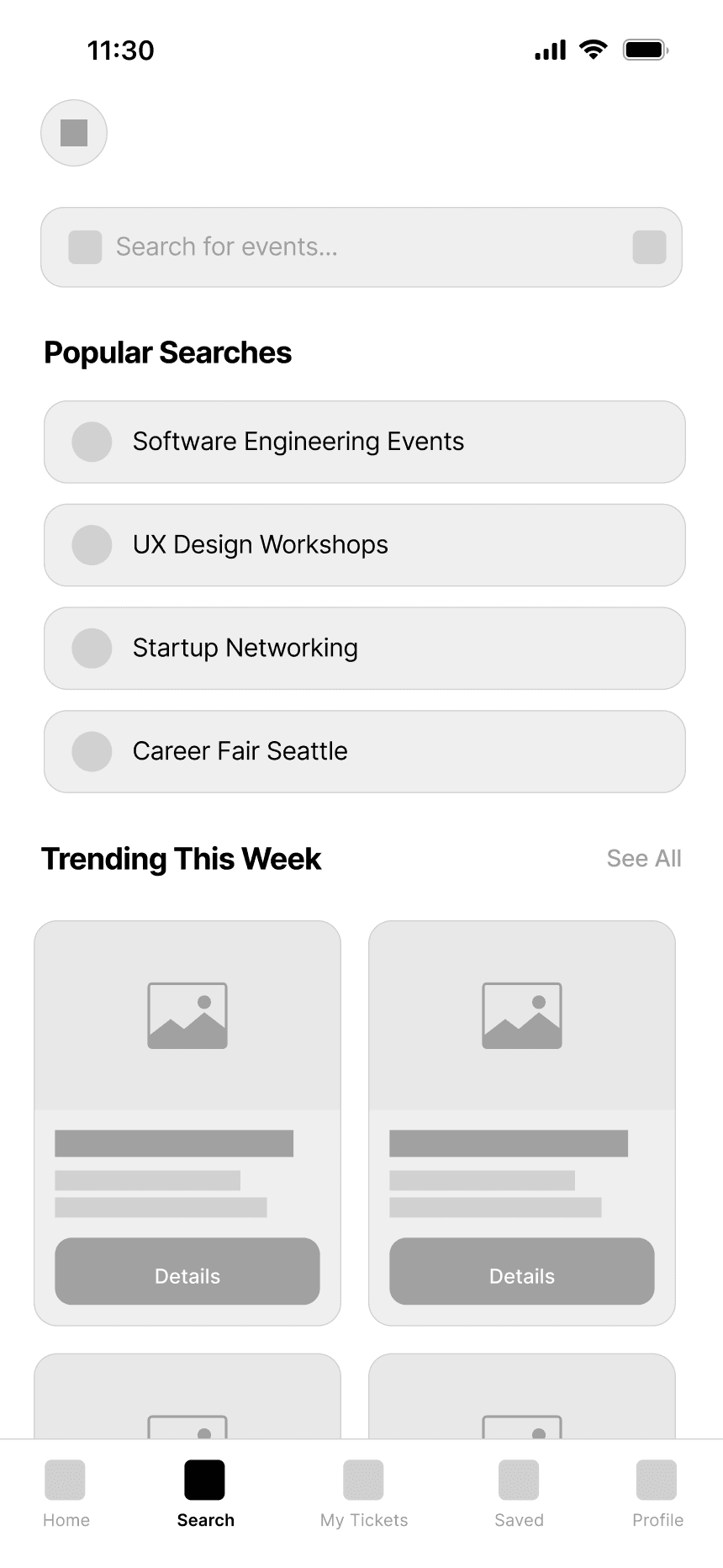
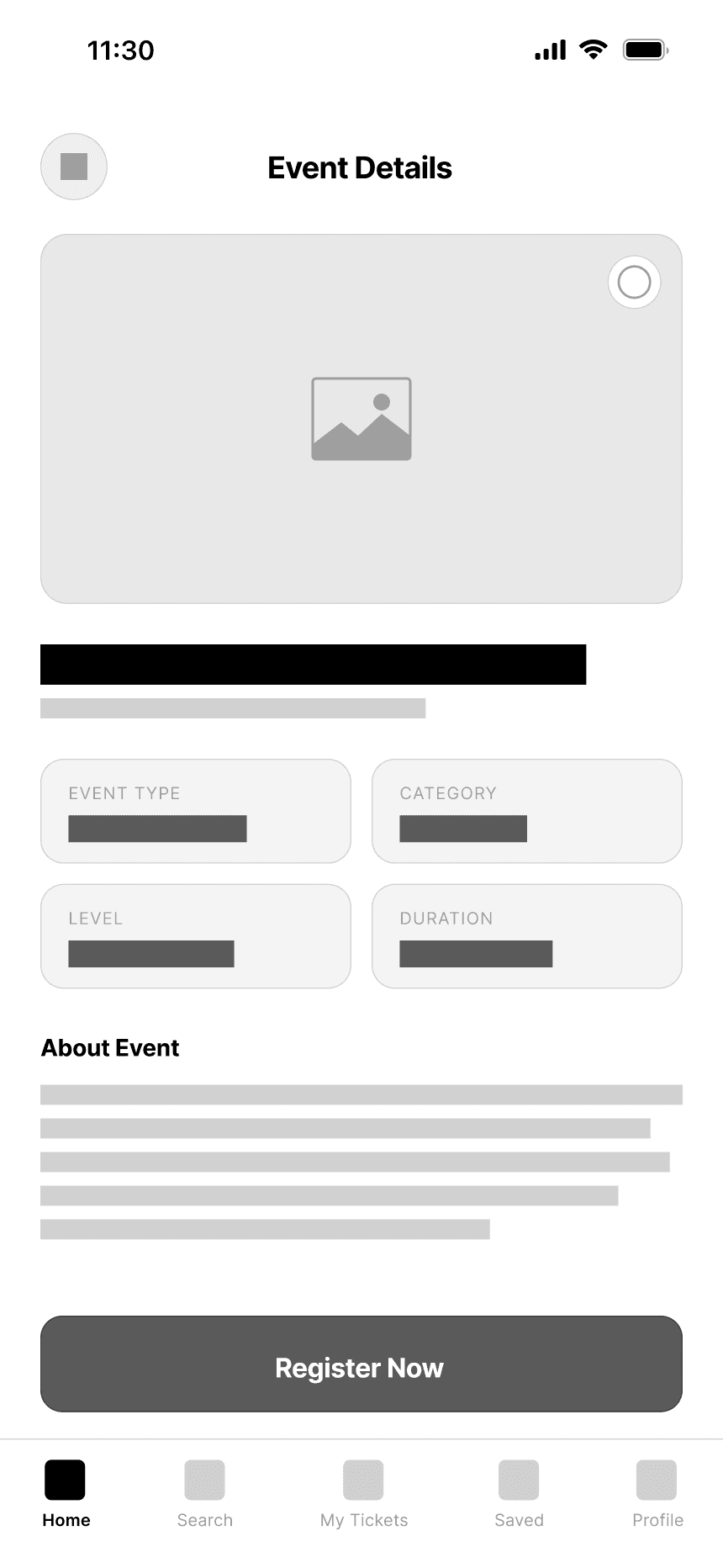
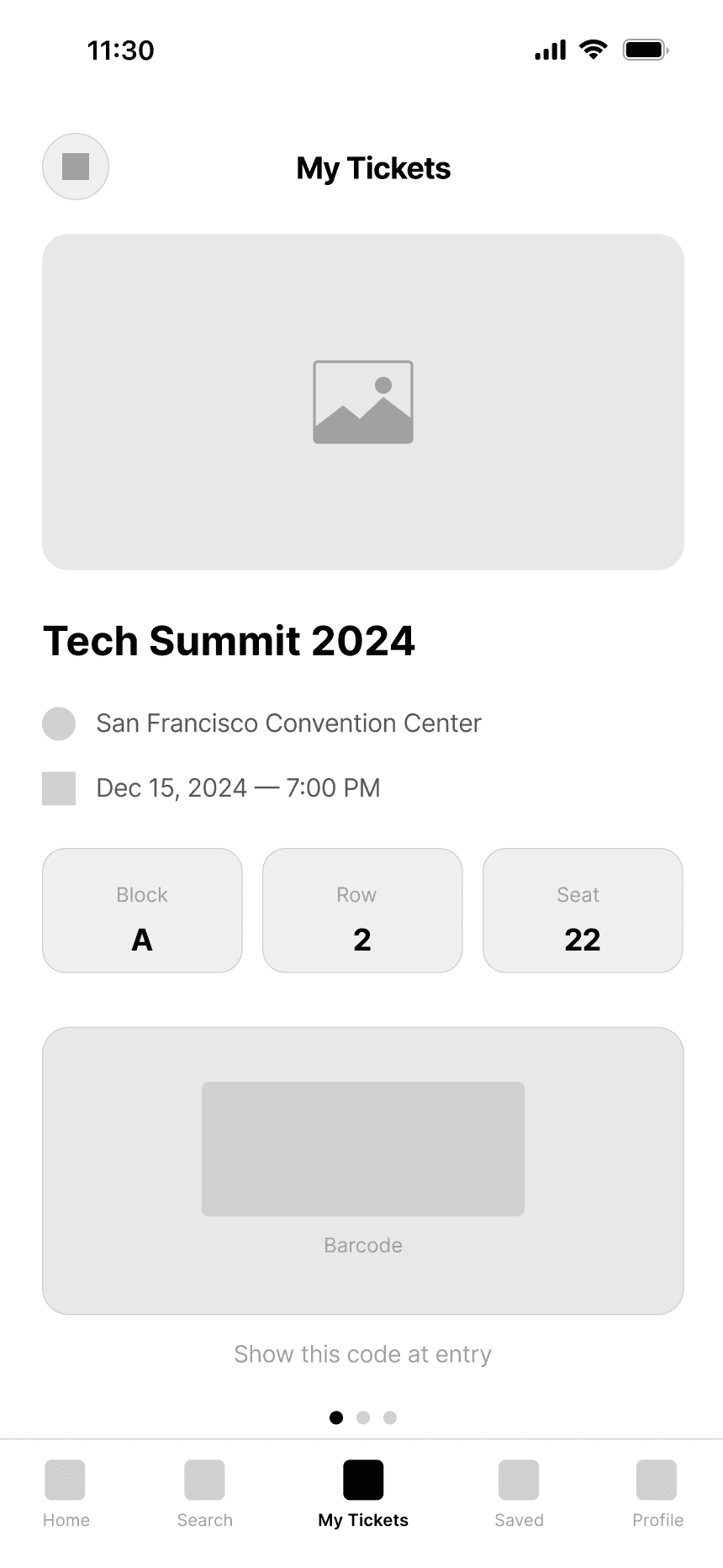
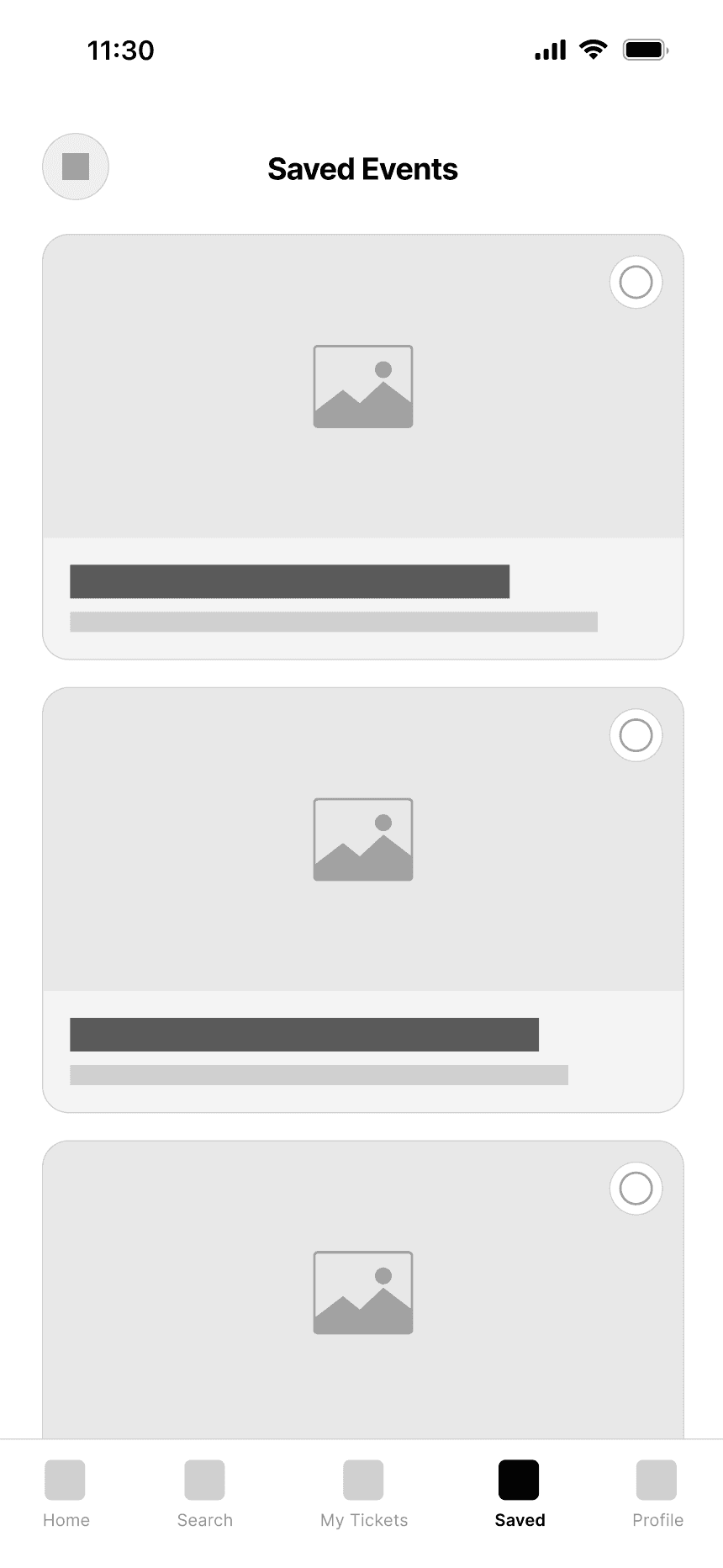
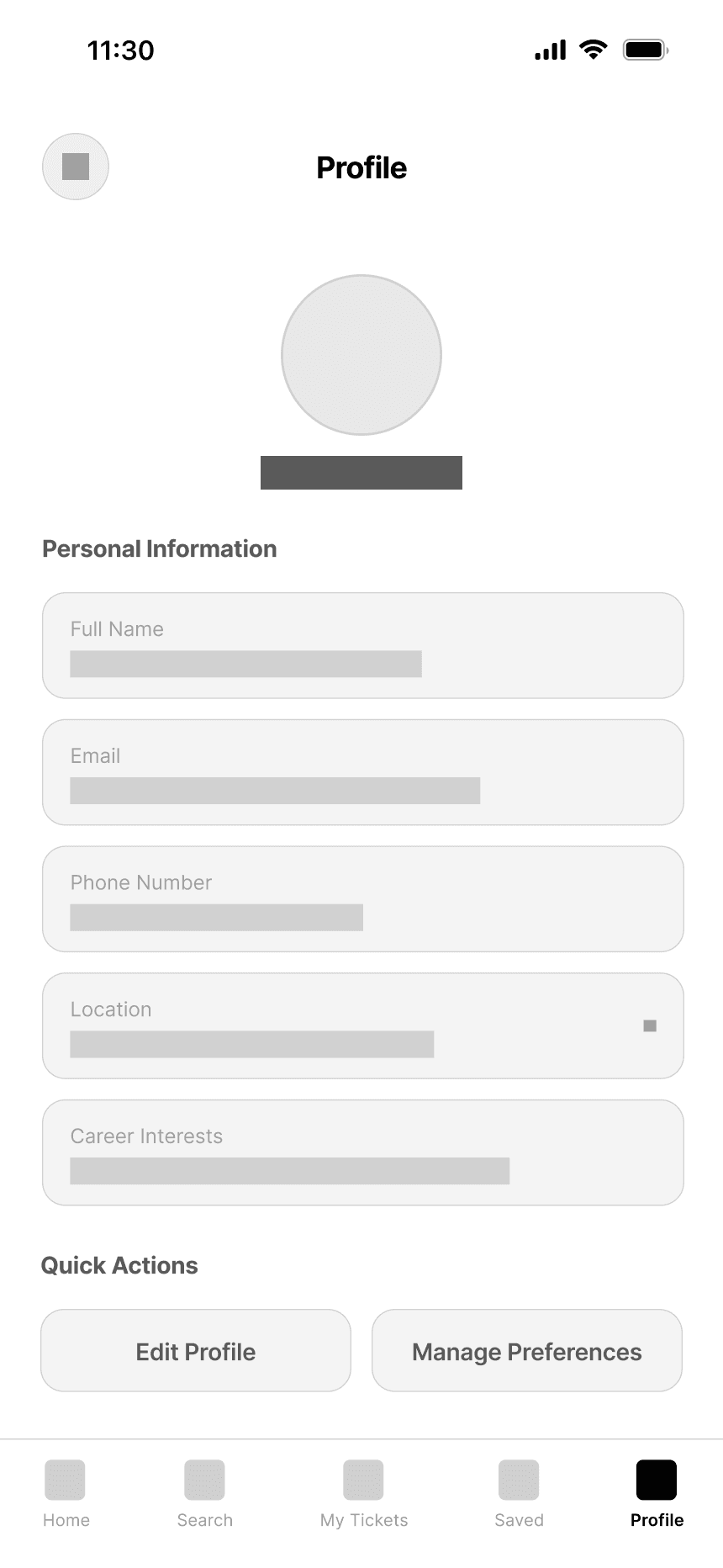
These wireframes served as the blueprint for usability testing, helping validate the navigation structure and flow before moving into high-fidelity design. By maintaining a minimal layout and consistent hierarchy, I ensured that every element contributed to a frictionless event discovery experience.
These wireframes served as the blueprint for usability testing, helping validate the navigation structure and flow before moving into high-fidelity design. By maintaining a minimal layout and consistent hierarchy, I ensured that every element contributed to a frictionless event discovery experience.
Usability Test
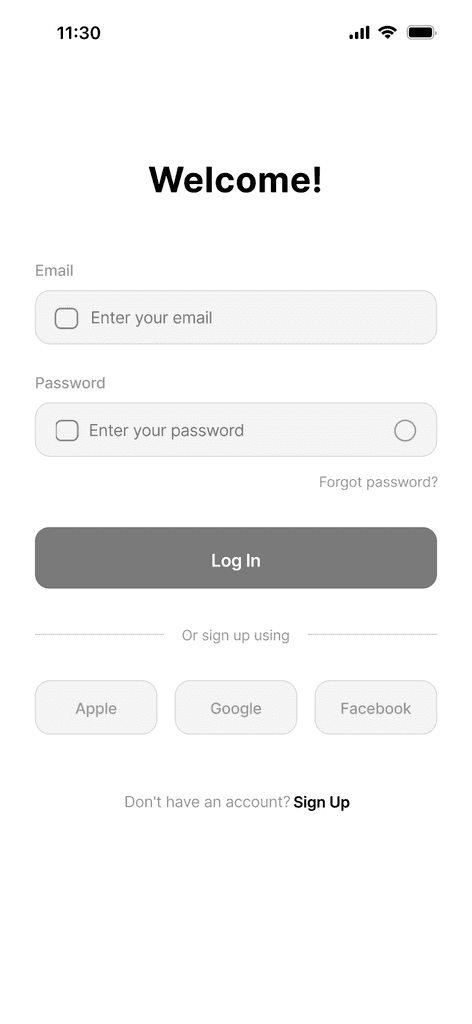
After completing the medium-fidelity wireframe, I conducted a usability test (using the maze tool) to identify potential flaws or areas for improvement in the flows, so that the creation of the high-fidelity prototype can be more accurate.
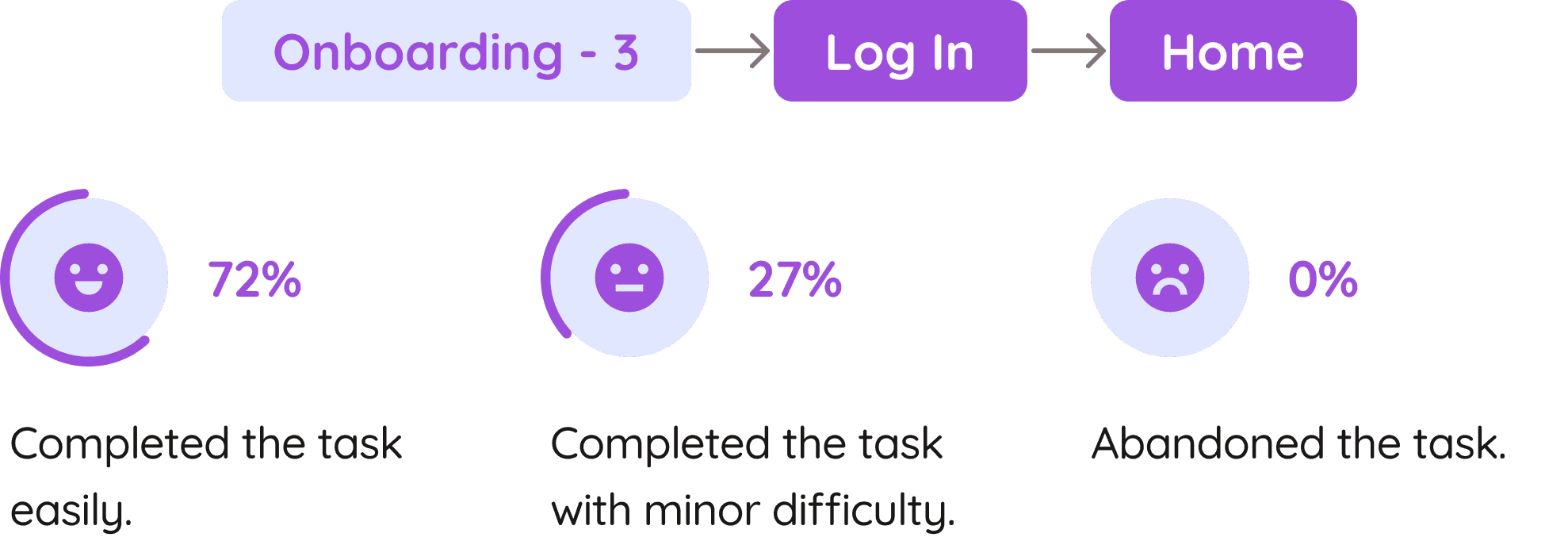
Mission 1: Log in
Mission 1: Log in
To make participants comfortable with the test, the first task was designed to be simple. Participants were asked to log into the application and reach the home screen.
Mission 2: Discover and Save an Event
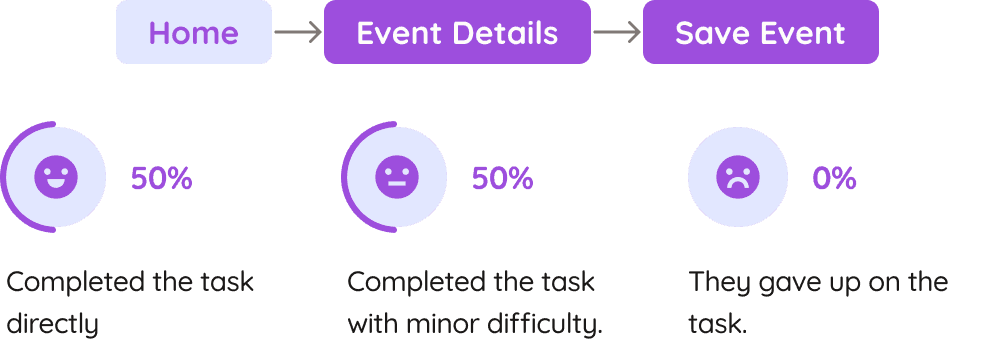
Mission 2: Discover and Save an Event
In this task, participants were asked to search for a career event and save it for later. The goal was to evaluate whether users could easily discover relevant events and bookmark them.
Design System
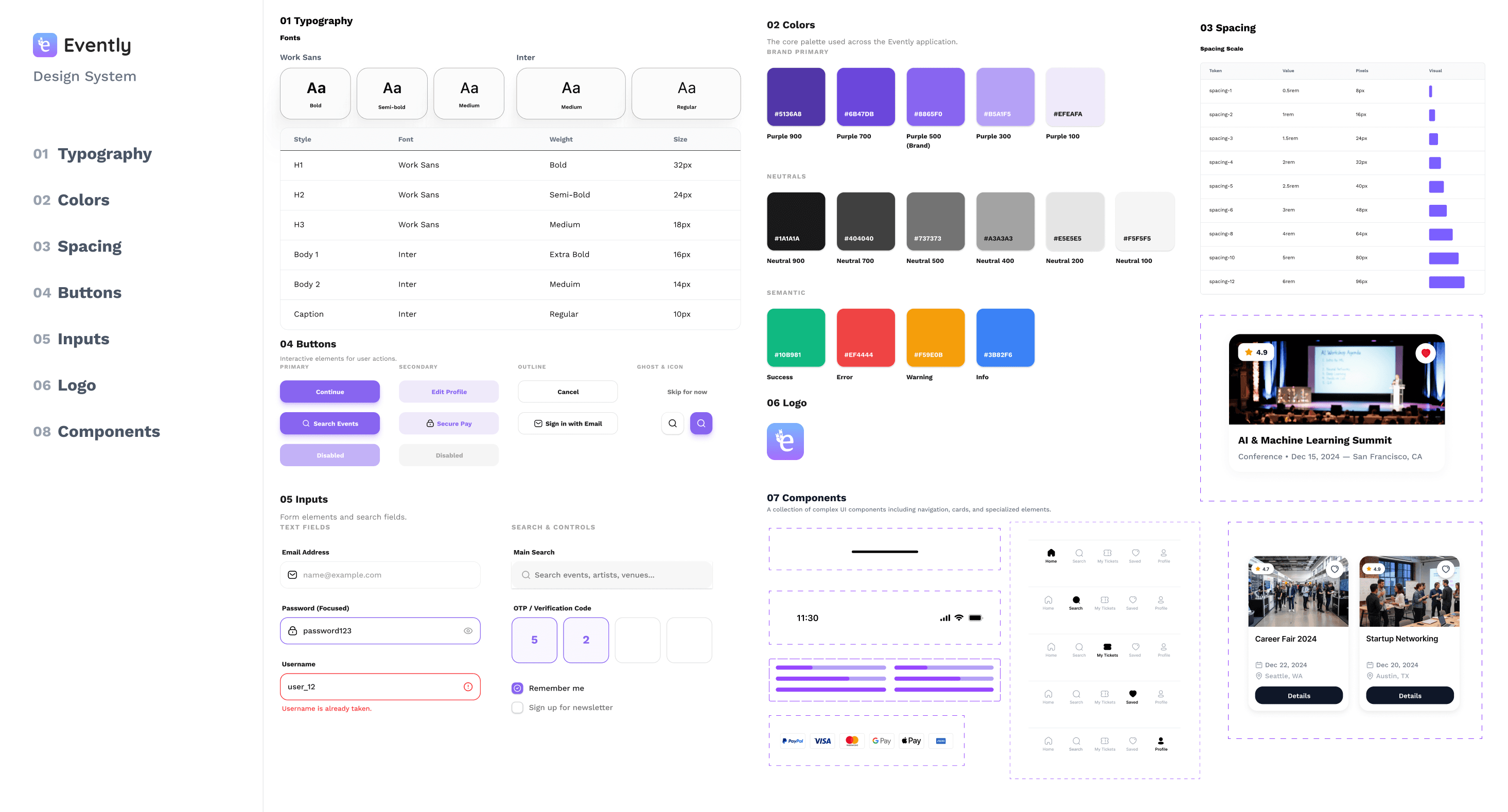
The Evently Design System was created to bring clarity, consistency, and scalability to the app. It reflects the brand’s purpose of guiding early-career professionals through a clean, approachable, and optimistic visual language. Each element - from color and typography to buttons and navigation was crafted to ensure a cohesive and human-centered experience.
Hi-Fi Prototyping
Transitioning from low-fidelity wireframes to polished, interactive designs, I focused on creating a cohesive visual language that aligned with the Evently brand. Every screen was refined through multiple design iterations and user feedback sessions.
Refined Event Discovery Experience
Refined Event Discovery Experience
Enhanced visual hierarchy with event images and card layouts.
Introduced “Upcoming” and “Recommended” sections based on user preferences.
Applied consistent brand colors and typography for clarity and familiarity.
Streamlined Search and Filters
Streamlined Search and Filters
Added quick category chips for easy event browsing.
Optimized spacing and contrast to improve readability.
Simplified icon placement for smoother navigation.
Informative and Action-Driven Event Page
Informative and Action-Driven Event Page
Included high-quality banners and structured content blocks.
Emphasized clear CTAs (“Register Now”) for accessibility.
Balanced visuals and whitespace to guide user attention.
Design System
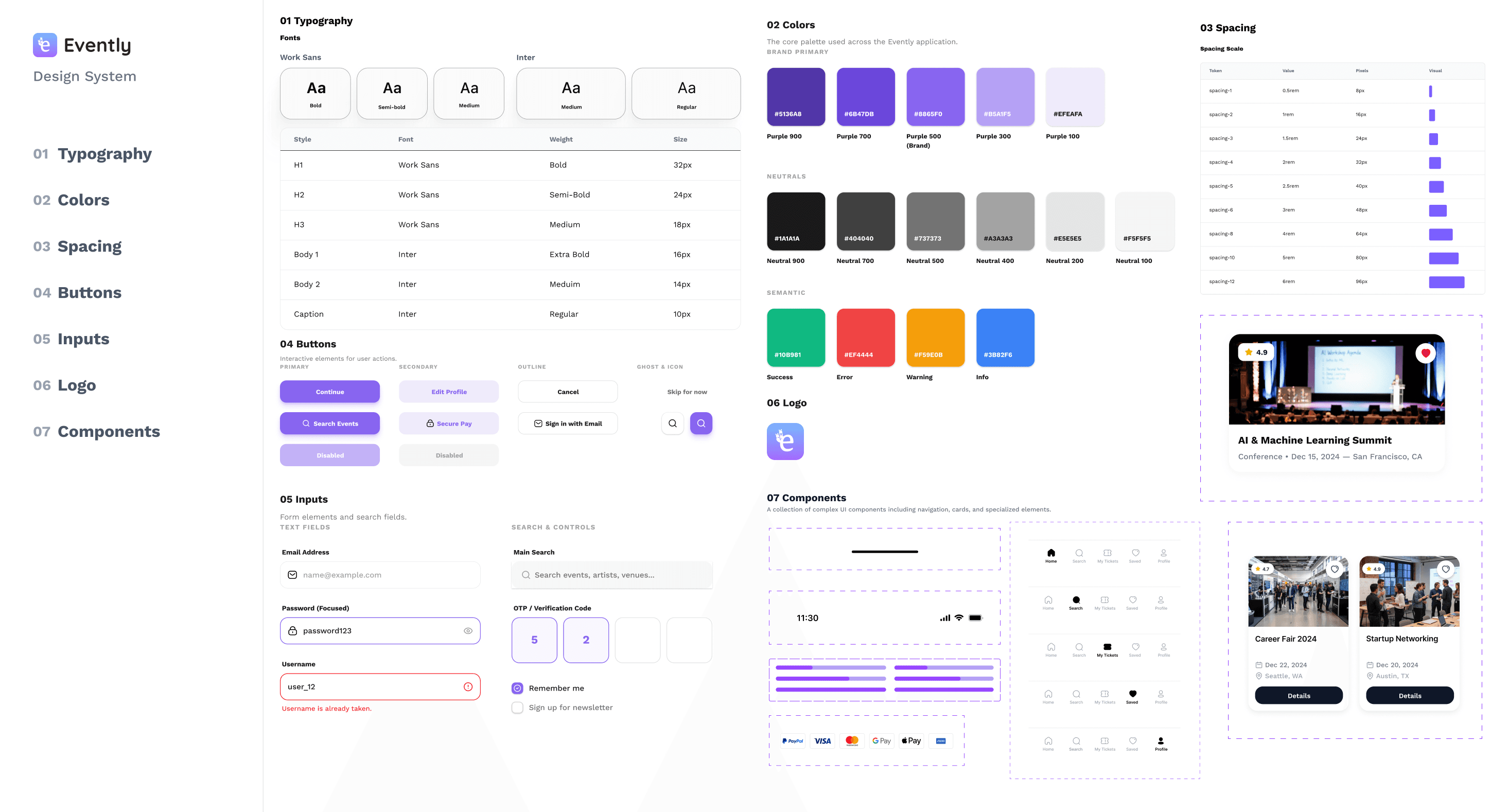
The Evently Design system was created to bring clarity, consistency, and scalability to the app. It reflects the brand’s purpose of guiding early-career professionals through a clean, approachable, and optimistic visual language. Each element - from color and typography to buttons and navigation was crafted to ensure a cohesive and human-centered experience.
The Evently Design system was created to bring clarity, consistency, and scalability to the app. It reflects the brand’s purpose of guiding early-career professionals through a clean, approachable, and optimistic visual language. Each element - from color and typography to buttons and navigation was crafted to ensure a cohesive and human-centered experience.
Usability Test
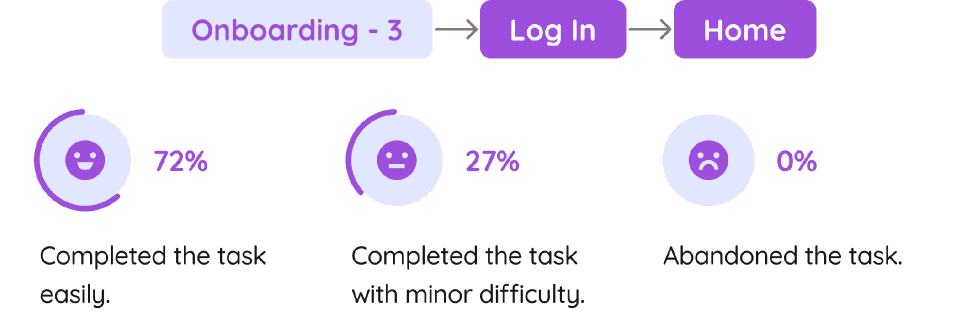
After completing the medium-fidelity wireframe, I conducted a usability test (using the maze tool) to identify potential flaws or areas for improvement in the flows, so that the creation of the high-fidelity prototype can be more accurate.
Mission 2: Discover and Save an Event
In this task, participants were asked to search for a career event and save it for later. The goal was to evaluate whether users could easily discover relevant events and bookmark them.
Mission 1: Log in
To make participants comfortable with the test, the first task was designed to be simple. Participants were asked to log into the application and reach the home screen.
Usability Test
Hi-Fi Prototyping
Transitioning from low-fidelity wireframes to polished, interactive designs, I focused on creating a cohesive visual language that aligned with the CareerCompass brand. Every screen was refined through multiple design iterations and user feedback sessions.
Refined Event Discovery Experience
Enhanced visual hierarchy with event images and card layouts.
Introduced “Upcoming” and “Recommended” sections based on user preferences.
Applied consistent brand colors and typography for clarity and familiarity.
Streamlined Search and Filters
Added quick category chips for easy event browsing.
Optimized spacing and contrast to improve readability.
Simplified icon placement for smoother navigation.
Informative and Action-Driven Event Page
Included high-quality banners and structured content blocks.
Emphasized clear CTAs (“Register Now”) for accessibility.
Balanced visuals and whitespace to guide user attention.
Reflection
Evently has been a journey of exploration and growth, transforming from an idea into a user-focused platform that connects individuals with career events and networking opportunities. The process taught me how research-driven design can bridge gaps between intention and user impact.
Embracing user-centered design helped me prioritize clarity, accessibility, and engagement at every stage. Understanding user needs and behaviors shaped not only the interface but also my perspective on creating meaningful, purpose-driven digital experiences.
Reflection
Evently has been a journey of exploration and growth, transforming from an idea into a user-focused platform that connects individuals with career events and networking opportunities. The process taught me how research-driven design can bridge gaps between intention and user impact.
Embracing user-centered design helped me prioritize clarity, accessibility, and engagement at every stage. Understanding user needs and behaviors shaped not only the interface but also my perspective on creating meaningful, purpose-driven digital experiences.